Open Source Integrated Library System
About Us FAQs Documentation Blog Evergreen Libraries Chat Mailing Lists Bloggers Download

February 05, 2010

BOSS: Bibliomation and Open Source Systems

True Confessions...

Our own Amy Terlaga was once an open-source-ILS-phobe. She tells the story of her journey from resistance to enthusiastic embrace in this month's Computers in Libraries magazine.

For our Connecticut readers, the article is available through iCONN.

Fear and trembling in Connecticut: (or 'how I learned to stop worrying and love open source') is a must-read!

-Kate

by Bibliomation HQ Staff (noreply@blogger.com) at February 05, 2010 09:42 PM

February 03, 2010

Equinox News

Kirtland Community College (Mich.) Goes Live With Evergreen

FOR IMMEDIATE RELEASE

Norcross, GA- February 3, 2010

Kirtland Community College has gone live with Evergreen, the consortial, open-source library automation software. Equinox Software, Inc., the support and development company established by the original Evergreen developers, provided migration assistance for the project and will provide ongoing technical support. The server for the new installation is being hosted at the college and members of the Michigan Library Consortium provided staff training.

Known as the "College in the Woods," Kirtland Community College is located in Roscommon, Michigan about 170 miles north of Detroit. They also have two satellite locations in Gaylord and West Branch. The library currently holds about 32,500 bibliographic items and has 760 patrons. To learn more about Kirtland Community College, please visit their website at: http://www.kirtland.cc.mi.us/

Deb Shumaker, Director of Library Services for Kirtland Community College, says "The Kirtland Community College Library is extremely pleased with the move to Evergreen. The product, support, and Evergreen Community embrace the library's philosophy of providing our patrons with the best possible resources and services available."

Brad LaJeunesse, CEO of Equinox Software, said "Kirtland Community College is currently undergoing an upgrade of their library facilities. We are pleased that Evergreen and Equinox could play a role in that upgrade and help improve library usage for the students, faculty, and community residents."

About Evergreen

Evergreen is a robust, highly scalable, open-source integrated library software. While Evergreen is best known for its unique ability to meet the needs of very large, high-transaction, multi-site consortia, Evergreen also elegantly scales down to the smallest library sites. Since its debut in September 2006, the software has sustained the 270-plus libraries of the Georgia PINES consortium. Evergreen has earned acclaim and praise from users worldwide, including a Technology Collaboration Award from the Andrew W. Mellon Foundation. Evergreen now supports over 500 libraries of every type-public, academic, special, and school media centers. Evergreen's rapidly expanding community is now known to power live installations in 5 countries including 10 U.S. states and 4 Canadian provinces.

For more information about Evergreen, including a list of all known Evergreen installations, see http://evergreen-ils.org.

About Equinox Software, Inc.

Founded by the original Evergreen designers and developers, Equinox Software is a growing team of skilled professionals who bring a comprehensive array of talent to continue improving Evergreen, the consortial, open source Integrated Library System (ILS). Equinox not only continues to develop Evergreen but, also consults, migrates, integrates, supports and offers hosting packages for libraries that prefer not to maintain local servers. Equinox also engages and supports a rapidly expanding Evergreen community.

For more information on Equinox Software, please visit http://www.esilibrary.com.

Press contact: Corinne Hall, corinne@esilibrary.com, 678-269-6113

Evergreen is open source software, freely licensed under the GNU GPL. Evergreen and the Evergreen logo are trademarks of the Georgia Public Library Service.

February 03, 2010 12:00 PM

January 28, 2010

Dan Scott (Coffee|Code) (Evergreen entries)

Evergreen developer workshop at OLA SuperConference, February 24, 2010

Given the the awards that Project Conifer will be presented with at the OLA SuperConference, this might be a good opportunity to mention the Customizing and Extending Evergreen: a guide for geeks workshop that I'll be giving on Wednesday, February 24th. The workshop description promises:

Together, we will break OpenSRF down into its constituent parts (JSON, XMPP) and put it back together again in Perl, Python, and JavaScript so that you can define new services, or integrate existing services into other applications and websites. You will learn how PostgreSQL underpins Evergreen's search indices and how to access and modify any data in the system with permission-based storage APIs; plus we will build new interfaces with the Dojo JavaScript framework Evergreen extensions.

That's a hefty agenda for a half-day workshop, but I promise to do my best to deliver on that promise... :-)

by Dan Scott (dan@coffeecode.net) at January 28, 2010 08:45 PM

Conifer garners two awards from the Ontario Library Association

The Ontario Library Association (OLA) announced its 2010 OLA and OLA Divisional Award winners today, and to my great surprise Project Conifer was named the winner of two awards:

  1. The Ontario College and University Library Association (OCULA) Special Achievement Award
  2. The Ontario Library Information Technology Association (OLITA) Award for Technical Innovation

All of the libraries in the Project Conifer consortium have been listed in the award announcement, and for good reason: everyone using the Evergreen library system since May 2009 has contributed to the project, be it by bug reports, or suggestions for enhancement, or sharing approaches to solving problems, or contributing code. This has been a real team effort, and make no mistake: the road has been bumpy at times, and there's a lot of road left to travel before we get to our destination. Dan furtively glances at the open list of requested enhancements on the Conifer ticket system and gets back to finishing off this blog post... The continuing support of staff and librarians across the consortium has been critical to keeping things moving in a very positive direction, and I'm delighted that they're being recognized for their efforts.

by Dan Scott (dan@coffeecode.net) at January 28, 2010 08:28 PM

Equinox News

Washington County Public Library (Ky) Selects Evergreen and Equinox

FOR IMMEDIATE RELEASE

Norcross, GA - January 28, 2010

Washington County Public Library has selected Evergreen as their next-generation Integrated Library System (ILS). Equinox Software, "The Evergreen Experts," will provide data migration, software configuration, and post-migration technical support. When Washington County Public Library goes live in the spring, it will be the first known library in Kentucky running Evergreen.

The Washington County Public Library, located in Springfield, Kentucky, was built in 1966. With a collection that contains 30,000 bibliographic items the library serves a community of just under 12,000 citizens from both their main branch and a bookmobile. To learn more about Washington County Library, please visit their website at: http://www.washingtonkylibrary.org/.

According to Washington County Public Library Director Joy Wandrey, "the best thing about moving to Evergreen for our community is that this is a reliable system which will enable us to be certain about where a book is, and whether it's checked in or out. We will also be able to more accurately tell you if we have a particular book. We are looking forward to more accurate records and more up to date patron accounts. This will make it easier to use the library, and to receive correct receipts."

Brad LaJeunesse, CEO of Equinox Software, says "Washington County Public Library is an excellent example of how a library does not have to be part of a consortium to benefit from what Evergreen has to offer."

About Evergreen

Evergreen is robust, highly scalable, open-source Integrated Library System (ILS). While Evergreen is best known for its unique ability to meet the needs of very large, high-transaction, multi-site consortia, Evergreen also elegantly scales down to the smallest library sites. Since its debut in September 2006, the software has sustained the 270-plus libraries of the Georgia PINES consortium. Evergreen has earned acclaim and praise from users worldwide, including a Technology Collaboration Award from the Andrew W. Mellon Foundation. Evergreen now supports over 500 hundred of libraries of every type-public, academic, special, and school media centers. Evergreen's rapidly expanding community is now known to power live installations in 4 countries including 10 U.S. states and 4 Canadian provinces. For more information about Evergreen, including a list of all known Evergreen installations, see http://evergreen-ils.org.


About Equinox Software, Inc.

Founded by the original Evergreen designers and developers, Equinox Software is a growing team of skilled professionals who bring a comprehensive array of talent to continue improving Evergreen, the consortial, open source Integrated Library System (ILS). Equinox not only continues to develop Evergreen but, also consults, migrates, integrates, supports and offers hosting packages for libraries that prefer not to maintain local servers. Equinox also engages and supports a rapidly expanding Evergreen community. For more information on Equinox Software, please visit: http://www.esilibrary.com.

Press contact: Corinne Hall, corinne@esilibrary.com, 678-269-6113

Evergreen is open source software, freely licensed under the GNU GPL. Evergreen and the Evergreen logo are trademarks of the Georgia Public Library Service.

January 28, 2010 12:00 PM

January 22, 2010

BOSS: Bibliomation and Open Source Systems

More on the Kid's Catalog

As regular readers know, we've been looking for ideas for a kid's catalog. We posted our original list a few weeks ago and since then, we've held a chat session with our members to brainstorm more ideas, including:

  • A title suggestion feature (in addition to spell-check)
  • Editable buttons that lead to searches or lists
  • Robust sorting
  • Moderated reviews that use screen names
  • An area for customizable text to promote upcoming events
  • Book suggestions/ Reading lists
  • Feed of Kid's Events

We're working with other consortia to develop a kid's catalog that includes all of the features we need (i.e. the features we currently have in Horizon) and as many of the features we want as possible. Keep the ideas coming!

-Kate

by Bibliomation HQ Staff (noreply@blogger.com) at January 22, 2010 08:26 PM

January 13, 2010

Evergreen community blog

Evergreen Documentation Licensing Terms

The Evergreen Documentation Interest Group (DIG) has voted to accept the following proposals for Evergreen Documentation Licensing. The vote took place December 21, 2009 – January 4, 2010 on the Documentation Interest Group Mailing List. There were 18 yes votes and 0 no votes, for a unanimous decision.

Since these licensing terms affect the entire Evergreen community, and particularly anyone who has contributed to the Documentation Wiki, we wanted to keep everyone informed. Please take a moment to read the licensing terms below (also available on the wiki at http://evergreen-ils.org/dokuwiki/doku.php?id=evergreen-docs:documentation_licensing_terms). If you have previously contributed documentation to the Documentation Wiki and do NOT want your contributions to be licensed under these terms, please contact the DIG facilitators or the DIG mailing list and let us know that by Friday, January 29th.

I am crossposting this to several Evergreen related mailing lists and blogs, as well as sending an email about this to anyone with a DokuWiki account, so I apologize for duplicate messages. If you have any questions, feel free to contact the DIG facilitators at docs@evergreen-ils.org.

I hope you’ll agree that this is a positive step forward for the Evergreen community. And, if you find some free time, that you might consider joining the Documentation Interest Group in producing some community-wide documentation.

Thanks,
Karen Collier
Documentation Interest Group Co-Facilitator

1 – Official Evergreen Documentation produced by the Documentation Interest Group should be licensed under the Creative Commons Attribution Share-Alike 3.0 License (http://creativecommons.org/licenses/by-sa/3.0/).

2 – Any code included in the official documentation produced by the Documentation Interest Group should also be made available under the GNU GPL (http://www.gnu.org/licenses/gpl.html).

3 – Official Evergreen Documentation may be made available under another copy-left (http://www.fsf.org/licensing/essays/copyleft.html) open source (http://www.opensource.org/docs/osd) license in the future with a majority vote on the Evergreen Documentation List (open-ils-documentation@list.georgialibraries.org) or comparable indication of the Evergreen community’s wishes.

4 – These same licensing terms should be applied to the Documentation Wiki. Past contributors to the Documentation Wiki should be notified by emails sent to Evergreen community mailing lists and to the email address associated with their docuwiki account of the new licensing terms and given a reasonable amount of time to request that their contributions not be included under those licensing terms.

5 – By submitting documentation to the Documentation wiki or to the Evergreen Documentation List after licensing terms have been decided and publicized, contributors indicate that they (a) agree to these licensing terms, and (b) to the best of their knowledge have the right to do so through copyright ownership, permission from the copyright owner(s), and/or the licensing terms of any documents that were modified or incorporated into their submission.

by karen at January 13, 2010 09:40 PM

January 12, 2010

Equinox News

SCLENDS Completes Pilot Phase of Evergreen Migration

FOR IMMEDIATE RELEASE

Norcross, GA -January 12, 2010

SCLENDS, the South Carolina library resource sharing network, welcomes the final three members in their group of pilot libraries. Anderson County, Fairfield, and Florence public library systems have gone live with Evergreen, the consortial, open-source library automation software. Equinox Software, Inc., the development and support company established by the original Evergreen developers, provided support for the migrations and will now provide hosting services for the consortium as well as 24/7 technical support.

With the initial pilot of phase of SCLENDS now complete, the program will be open for other South Carolina libraries to migrate in 2010. The web address for SCLENDS' growing catalog is http://sclends.lib.sc.us .

Brad LaJeunesse, Equinox President, says "It has been very exciting to watch the SCLENDS consortium take shape. Resource sharing will bring huge benefits to South Carolina library patrons and we are glad Equinox could be a part of that."

About Evergreen

Evergreen is robust, highly scalable, open-source library software. While Evergreen is best known for its unique ability to meet the needs of very large, high-transaction, multi-site consortia, Evergreen also elegantly scales down to the smallest library sites. Since its debut in September 2006 as the software sustained the 270-plus libraries of the Georgia PINES consortium, Evergreen has earned acclaim and praise from users worldwide, including a Technology Collaboration Award from the Andrew W. Mellon Foundation. Evergreen now supports hundreds of libraries of every type-public, academic, special, and school media centers. Evergreen's rapidly expanding community is now known to power live installations in 4 countries including 10 U.S. states and 4 Canadian provinces.

For more information about Evergreen, including a list of all known Evergreen installations, see http://evergreen-ils.org.

About Equinox Software, Inc.

Founded by the original Evergreen designers and developers, Equinox Software is a growing team of skilled professionals who bring a comprehensive array of talent to continue improving Evergreen, the consortial, open source Integrated Library System (ILS). Equinox not only continues to develop Evergreen but, also consults, migrates, integrates, supports and offers hosting packages for libraries that prefer not to maintain local servers. Equinox also engages and supports a rapidly expanding Evergreen community.

Equinox also For more information on Equinox Software, please visit http://www.esilibrary.com.

Press contact: Corinne Hall, corinne@esilibrary.com, 678-269-6113

Evergreen is open source software, freely licensed under the GNU GPL. Evergreen and the Evergreen logo are trademarks of the Georgia Public Library Service.

January 12, 2010 12:00 PM

January 11, 2010

Equinox News

Equinox Software Welcomes Rob Herrmann and Sally Fortin to our Staff

FOR IMMEDIATE RELEASE

Norcross, GA -January 11, 2010

Equinox Software, Inc., the support and development company for Evergreen open-source library software welcomes Rob Herrmann and Sally Fortin to our staff. Herrmann will serve as Sales Executive and Fortin will be our Educational Services Manager.

Herrmann is a library veteran having previously worked for SirsiDynix in several areas from support and deployment, to sales. At MnLink, a Minnesota statewide consortium, he was a Systems Analyst. Herrmann is a 1999 graduate of the University of South Carolina's College of Library and Information Science. As Sales Executive, he will play a key role in the development of new business relationships for Equinox.

Herrmann says "With libraries facing greater challenges, asked to do more with less, I am excited to join the community developing an open source solution for libraries. I am thankful to join the Equinox team and help contribute to the success of the Evergreen ILS."

As Educational Services Manager, Fortin will develop education procedures and provide training for both new and future Evergreen users. Her professional life has been spent teaching in educational contexts. She taught English composition and literature at the collegiate level for three years before pursuing a degree in library science. She was graduated from Florida State's School of Library and Information Studies in 2008. Since then, Fortin has worked in public and academic libraries, with responsibilities in circulation, cataloging, and reference. Most recently, she was the reference librarian at Savannah College of Art and Design-Atlanta, where she developed library instruction for students, faculty, and staff.

According to Fortin, "I am excited to combine my enthusiasm for teaching and libraries in the position of Educational Services Manager at Equinox Software. I am eager to begin working with the community of Evergreen users!"

About Evergreen

Evergreen is robust, highly scalable, open-source library software. While Evergreen is best known for its unique ability to meet the needs of very large, high-transaction, multi-site consortia, Evergreen also elegantly scales down to the smallest library sites. Since its debut in September 2006 as the software sustained the 270-plus libraries of the Georgia PINES consortium, Evergreen has earned acclaim and praise from users worldwide, including a Technology Collaboration Award from the Andrew W. Mellon Foundation. Evergreen now supports hundreds of libraries of every type-public, academic, special, and school media centers. Evergreen's rapidly expanding community is now known to power live installations in 4 countries including 10 U.S. states and 4 Canadian provinces.

For more information about Evergreen, including a list of all known Evergreen installations, see http://evergreen-ils.org.

About Equinox Software, Inc.

Founded by the original Evergreen designers and developers, Equinox Software is a growing team of skilled professionals who bring a comprehensive array of talent to continue improving Evergreen, the consortial, open source Integrated Library System (ILS). Equinox not only continues to develop Evergreen but, also consults, migrates, integrates, supports and offers hosting packages for libraries that prefer not to maintain local servers. Equinox also engages and supports a rapidly expanding Evergreen community.

For more information on Equinox Software, please visit http://www.esilibrary.com.

Press contact: Corinne Hall, corinne@esilibrary.com, 678-269-6113

Evergreen is open source software, freely licensed under the GNU GPL. Evergreen and the Evergreen logo are trademarks of the Georgia Public Library Service.

January 11, 2010 12:00 PM

January 06, 2010

BOSS: Bibliomation and Open Source Systems

Meetup at ALA Midwinter - SC LENDS and Massachusetts

At ALA Midwinter next week, we plan to meet with some of the library directors of SC LENDS (South Carolina) and the three networks in Massachusetts (NOBLE, MVLC, and C/W MARS) with plans to move to Evergreen. It will be sometime on Saturday - either the morning or late afternoon (3:30ish). (We're still coordinating schedules at the moment.) There's a room at the convention center that ALA has set aside for these kinds of informal meetings. It's called the Networking Uncommons and it's located in Lobby B of the Boston Convention and Exhibition Center, near the entrance to the Exhibit Hall and ALA Store.

This will be our first chance to chat with the South Carolina folks and I'm looking forward to meeting them, to see how their Evergreen system is coming along, what kinds of enhancements they still need, and where we might be able to share in some of the development effort.

If you're interested in participating in or just sitting in on the conversation, drop me an email - terlagaATbiblioDOTorg.

==================
Amy Terlaga
Assistant Director, User Services

by Bibliomation HQ Staff (noreply@blogger.com) at January 06, 2010 06:40 PM

January 05, 2010

Michigan Evergreen

Michigan Evergreen at 2010 Library Tech Conference

Good news!  Our Michigan Evergreen presentation proposal was accepted for the 2010 Library Technology Conference in St. Paul, Minnesota, in March 2010.

by Ruth Dukelow at January 05, 2010 10:32 PM

January 04, 2010

Evergreen community blog

Evergreen Newsletter, November/December 2009

The newsletter for Evergreen open source library software

Volume 2, Issue 10 – November/December, 2009

As a reminder, we post this newsletter to the Evergreen general discussion list, development list, and the Evergreen blog. Cross-posting and forwarding are encouraged.

In This Issue

Evergreen Out and About, Evergreen Development and Documentation Update, A Booking Module for Mohawk, Evergreen People, Evergreen Jobs, Lyrasis Evergreen Classes, New Evergreen Libraries, Planet Evergreen, A Few Reminders, Newsletter Administrivia

Out and About: An Evergreen Calendar

  • Please come by and visit the Equinox team and learn more about Evergreen during ALA MidWinter, January 15-18, 2010, booth # 2064
  • The 2010 Evergreen International Conference will be held April 21-23, 2010 at the Amway Grand Plaza Hotel in Grand Rapids Michigan. The Conference website contains general information, schedule, exhibitor information, sponsorship information, a link to the Grand Rapids Convention and Visitors Bureau, a link to the Amway for online reservations, and a link to the registration site. Please join us for an exciting 3 days of learning, sharing, networking, and fun in Grand Rapids! http://www.evergreen2010.org/

Do you know of Evergreen events you’d like to share here? Please contact us at newsletter@evergreen-ils.org

Evergreen Development and Documentation Update

  • Evergreen 1.6.0.0 released!
    • Evergreen 1.6.0.0 was released in mid-November and is already in production at a number of sites. There are many new features, including Google Book Preview, easier OPAC customization with BibTemplate, located URIs, improvements to the Z39.50/SRU server, and a preview of Acquisitions. You can find Evergreen 1.6.0.0 on the downloads page, along with the newly-released OpenSRF 1.2.0 and a staff client build for Windows.
  • Evergreen 1.4.0.7 released!
    • A new minor version of the 1.4.x series was also released. This includes a number of bugfixes and is available on the downloads page.
  • New BuildBot
    • Shawn Boyette released a preview of a BuildBot to automate testing of Evergreen and OpenSRF. See http://testing.esilibrary.com/ for a preview (Warning: Firefox 3.5+, Chrome, or Safari required to view site at the moment).
  • Evergreen Developer Workshop Now Online
    • Dan Scott held an Evergreen Developer Workshop at FSOSS 2009 in Toronto, Canada. Robert Soulliere from Mohawk College has uploaded videos of the workshop to Archive.org, splitting the talk into 9 segments. Dan has also put his workshop materials online. There’s an HTML version with written details and, for the extra keen, there’s a also a tarball that contains the HTML version plus the code used in the examples and Dan’s slides. If you’re a new developer that wants to obtain more in-depth knowledge of Evergreen, this is a great place to start.

A Booking Module for Mohawk

Ever since Mike Rylander presented at the Ontario Library Association Super Conference way back in 2006? 05? Mohawk has been eyeing Evergreen. We finally went live with Evergreen in July 2009. BTW, the 2010 Super Conference is full of Evergreen goodness: Dan Scott is leading a pre-conference workshop for would be EG developers, and Robert Soulliere and Cynthia Williamson will be presenting on the Mohawk experience.

Prior to going live, Mohawk belonged to an ILS consortium using SIRSI’s Unicorn and felt constrained, to say the least. This article is not about that experience but suffice it to say that after a long haul of sorting out using a Linux server when no one else in the college does and figuring out if we could do without the acquisitions and serials modules, we aimed to go live in late spring or early summer of 2009.

Our big stumbling block was the inability to book video materials in Evergreen. The Library @ Mohawk purchases and circulates all of the audiovisual materials used by faculty to teach. In Unicorn, it was possible for staff to book a video or DVD for a specific day and time so that instructors could use them in class. The booking restricted circulation on the booked video or DVD so that it would be available at the right time, even if it had to be sent to another campus. EG did not have this feature. We thought about using a separate calendar system and some modified circ rules but in the end it seemed best to get things working in EG. We figured out early on that Robert, our Systems Librarian would not be able to develop the booking module himself. The next step was squeezing into the Equinox development schedule – they are a busy bunch!

The joy of FOSS is that we were able to go live early in the final year of our support contract with SIRSI and thus run both systems, something usually impossible during a migration because it is almost financially impossible to pay for a new system while continuing to pay for an old system. So we used EG for most things but continued to book videos and DVDs in Unicorn.We managed to get in to the Equinox development line-up with the promise that the module will be ready for the end of 2009, a good 3 months before we turn off Unicorn.

Originally, we envisioned the feature to work like an enhanced hold because our current needs are strictly for bibliographic material bookings. However, in our initial discussions with Equinox, it was clear that we could create a more useful module if it is possible to book non-bibliographic items like rooms, equipment, etc. Done! It is our hope that this module appeals to lots of folks and will make EG even more “saleable”. Between it and serials and acquisitions, EG is becoming quite the grown-up ILS.

We’re only part way through the development so we won’t share details here now. We’re just about ready to test it, the module will be shared with everyone and made available in 1.6. If you want to learn more about what Mohawk is doing with EG please come to Toronto for the OLA Super Conference and if you can’t, we’ll be sharing our presentation. Access our EG implementation here: http://libcat.mohawkcollege.ca

Cynthia Williamson,
Collection Management Librarian,
Mohawk College, Hamilton ON

Evergreen People

Amy Terlaga, of Bibliomation, Inc., in Middlebury, CT, will have her article, “Fear and Trembling in Connecticut (or ‘How I Learned to Stop Worrying and Love Open Source’)”, published in the January/February 2010 issue of Computers in Libraries. She details her consortium’s decision to migrate their libraries to Evergreen, after an initial period of personal open source angst. Amy can be reached at terlaga@biblio.org.

Evergreen Jobs

Do you know of Evergreen related jobs that you’d like to share here? Let us know at newsletter@evergreen-ils.org

Lyrasis Evergreen Classes

Lyrasis is offering several Evergreen classes in the near future:

Evergreen Circulation Module (Live Online)
2/4/2010, 10:00am-12:00pm EST

Evergreen Cataloging Module (Live Online)
3/3/2010-3/4/2010 2:00pm-4:00pm EST

Evergreen Administration and Reports Module (Live Online)
3/10/2010, 10:00am-12:00pm EST

To register, please see the Lyrasis website.

LYRASIS (created from a merger of SOLINET, PALINET and NELINET) has taught dozens of Evergreen classes. Lyrasis is dedicated to training and instructing Evergreen, and they welcome your comments and suggestions for courses. All of their current course offerings are continuously updated, and Lyrasis plans to add more courses in the future. For comments or questions, contact Lyrasis instructors Jennifer.Bielewski@lyrasis.org or Jenny.Liberatore@lyrasis.org

New Evergreen Libraries: Welcome Aboard!

  • Evergreen Indiana
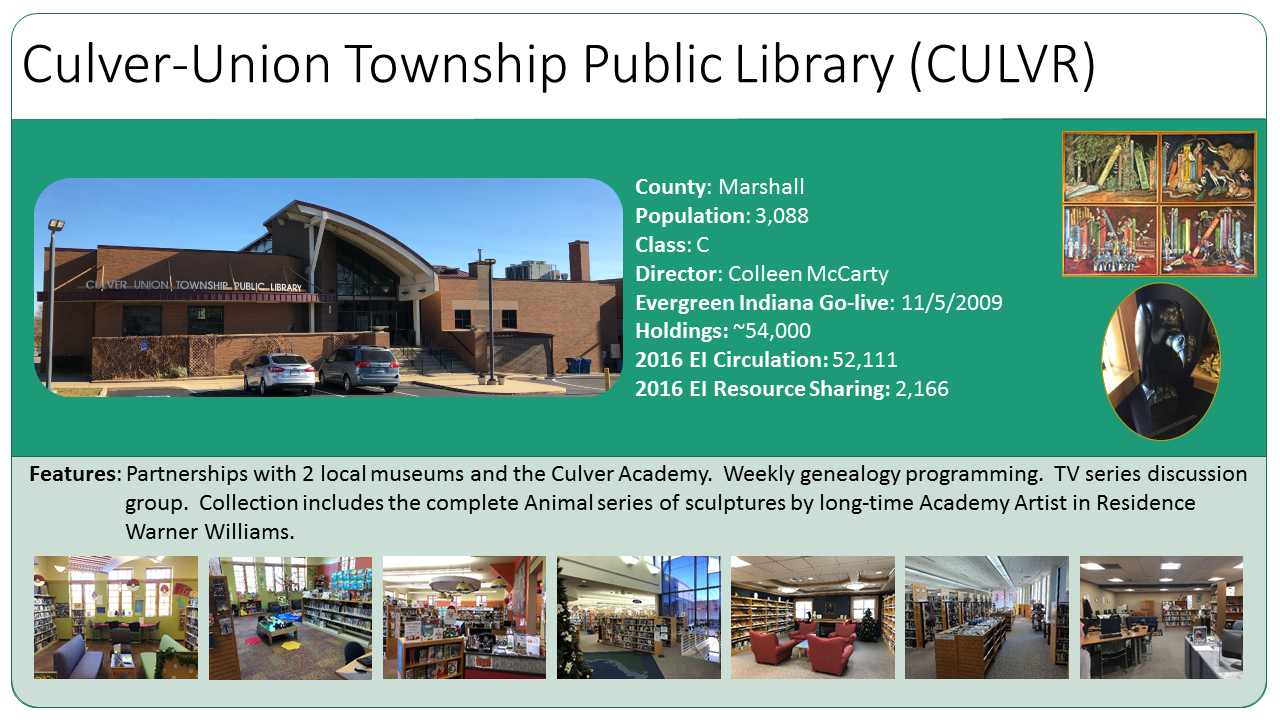
    • Since the previous newsletter, six more library systems in Indiana migrated to Evergreen: Culver-Union Public Township Library, LaGrange Public Library, Monticello-Union Township Public Library, Paoli Public Library, Princeton-Patoka Township Library, Syracuse Turkey Creek Township Public Library, Vermillion County Public Library, Waveland Brown Township Public Library, West Lafayette Public Library, Westfield Washington Public Library, and Wolcott Community Public Library. These migrations bring the number of Indiana libraries online with Evergreen up to 53! For more information, see the press release.
  • BC SITKA
  • Hekman Library at Calvin College migrated to Evergreen in December, 2009.

Planet Evergreen

Can’t get enough news about Evergreen open source software? Subscribe to or read Planet Evergreen, an aggregator for Evergreen-related posts. Have a blog that talks about Evergreen? To add your blog to the Planet Evergreen blog aggregator, send email to Dan Scott at dan@coffeecode.net

A Few Reminders

Evergreen has a Flickr set and a Facebook group.

Newsletter Administrivia

Feel free to forward, share, etc.! The co-wranglers for this newsletter (produced every month–sometimes earlier, sometimes later–what can we say!) are …

Amy Terlaga, Bibliomation, Inc., terlaga@biblio.org
Jason Etheridge, Equinox Software Inc., jason@esilibrary.com

You can also reach us both at newsletter@evergreen-ils.org

Licensing

For an Internet-distributed newsletter such as this, there’s arguably an implied license for what you can do with and how you can distribute the newsletter. Going forward, we’d like to produce this newsletter under an explicit license, the Creative Commons Attribution Share-Alike license, which is an open “copy-left” license similar to that used by Evergreen. If you contribute content that is copyrighted or copyrightable, please let us know if you do not agree to have it released under this license. Thanks!

by jason at January 04, 2010 06:06 PM

December 31, 2009

Warren Layton (Libre-arian)

Evergreen: Brief Review of 2009


As 2009 comes to a close, I’m in the thick of Phase 2 of our migration to Evergreen. Migrations feel very…introverted. My nose is an inch from the ground and I’m focused on transferring our data. It has been a while since I looked up and considered how far Evergreen has come in one year.

One year ago, Evergreen was still at version 1.2.x, with 1.4.0.0 still a month or so away. Since then, there have been two major releases: 1.4.x, which hit the downloads page in early 2009; then 1.6.0.0, which landed this past November. Each introduced many new features. Perhaps seasoned Evergreen veterans at places like Georgia PINES are used to this rate of progress, but for me, who’s first real experience with Evergreen came only about a year ago, it’s pretty staggering.

To give one small example, our Evergreen site went from having no Z39.50 server (April 2009), to a Z39.50 (and SRU!) server without holdings info (May 2009), to a Z39.50/SRU server that includes holdings and can be very easily scoped to provide “databases” for each of our locations (November 2009). All that in about the span of 8 months. Where once there was a lack of functionality, we now have something better than we had with our previous ILS.

That’s not to say that Evergreen is perfect or fully complete yet. There’s still a lot of work to be done and new features to implement. However, I’m encouraged by the growing community that’s developing. It’s still relatively small and the major patches still come from the primary developers, but new code, patches, and translations are starting to come from outside of Equinox. That’s been acknowledged in some way by the developer meetings on IRC that have begun to take place periodically, where some core and non-core developers get together and hash out the development issues of the day. The use of LaunchPad as a public tool for bug reporting and translations has also helped lower barriers to participation. (That said, Equinox has grown a lot this year and their rate of progress on many big ticket features has consequently increased).

The first Evergreen International Conference was held in 2009 and looks set to become an annual event. Most notably, the inaugural conference helped launch the Documentation Interest Group (DIG), and the DIGgers are currently busy organizing the existing community documentation and getting ready to write up the missing pieces. The next Evergreen International Conference is coming in April 2010.

And, of course, many new libraries migrated to Evergreen in 2009, with others already planning their migrations for 2010. Should be an interesting year ahead.

Happy New Year!

by Warren at December 31, 2009 06:41 PM

December 29, 2009

BOSS: Bibliomation and Open Source Systems

PostgreSQL Training with Dan Scott

We've been busy setting up some Evergreen training with Equinox. In mid-January we'll receive some admin training as well as a 1.6 update, including Acquisitions.

We also need to learn how to write PostgreSQL queries, but Equinox doesn't offer a training class on this at this time. I've tried to write some queries on my own, based on my Sybase SQL knowledge, but what I've discovered is that the syntax doesn't translate well. Equinox recommended two PostgreSQL companies to us - I inquired, but soon discovered that the cost for these classes was too outrageously expensive for a non-profit like Bibliomation to swing.

Enter Dan Scott, relational database expert. Dan is systems librarian at Laurentian University, in Ontario. I had a chance to hear him speak at a one-day Lyrasis conference last October called "Open Source in your Library," and he was fantastic. Since he was able to answer some of my specific SQL query questions on the general Evergreen listserv, I thought he would be up to the challenge of teaching us what we needed to know about Postgres, so I emailed him. He has agreed to not only train us, but to customize the two-day class to our specific needs!

He writes:
[...]I would want to make the course materials available under a Creative Commons license so that others can build on & benefit from the content. I think it would make a nice complement to the Evergreen developer workshop, and a great contribution to the community.

We need to give him some time to prepare his course materials, but we are hoping to have him down here sometime before two of our developmental partner libraries go live on Evergreen the first week in March 2010.

Three cheers for Dan Scott!

Amy
===================
Amy Terlaga
Assistant Director, User Services
terlagaATbiblioDOTorg

by Bibliomation HQ Staff (noreply@blogger.com) at December 29, 2009 07:35 PM

December 21, 2009

BOSS: Bibliomation and Open Source Systems

Hey Kids!

And those who work with them...
As Amy said in the last post, we recently sent out an email to our school media specialists asking for their wishlist for a kid's catalog. We've gotten a few replies and we'd love to hear more from our school media specialists and our children's librarians.

The top requests are:
  • Search by title, author, subject, keyword, and series.
  • Title searches that don't require the use of quotation marks to bring up one-word titles.
  • Spellcheck
  • The ability to sort results, especially sort by call number.
  • Results with the location in bold
  • The ability to add local subject buttons to the main page.
So far, we have good news for you! The regular Evergreen OPAC does a number of these things already. It is possible to search by title, author, subject keyword and series and searches by title for books like Night and Bud Not Buddy turn up the appropriate book as the top result.

Evergreen does have a spellcheck and it does allow sorting of results, though I think we'll have to add call number to our list of requests. The advanced search screen does allow the searcher to limit results to Fiction or Nonfiction, so it's possible that we could incorporate that feature into the results on a kid's catalog.

We brainstormed with some librarians from King County about possible features for a kids catalog and we'd love your feedback on some of these ideas.

Like you, we want to enable local buttons on the main interface – right now, you all have the same buttons on the front page of the kid's catalog. We'd like to have a mechanism for each library to create their own buttons with their own searches.

Other ideas we had:
  • The ability for each library to customize their individual kid’s catalog to their needs
  • The ability to choose from a variety of image sets in the customization of these picture-based subject categories
  • The ability to restrict to just juvenile content searches if the library desired; customizable by library
  • Kid's catalog should build upon current Evergreen OPAC limiters to include reading levels and series information
  • The inclusion of grade reading levels in the bibliographic record search results
  • The ability to customize each search button so that the search can be optimized to the library’s individual catalog
  • The ability to customize each button so that, instead of a search, a reading list of web catalog links and web site links can be produced for the user to follow
  • The ability for the user to rate each title
  • The ability for the user to write a review for each item in the catalog
  • The ability for user reviews to be sent to the individual library for moderation purposes before they are posted
Keep your suggestions coming and we'll keep adding to our list.
-Kate
+~+~+~+~+~
Kate Sheehan
Open Source Implementation Coordinator
ksheehan{at}biblio{dot}org

by Bibliomation HQ Staff (noreply@blogger.com) at December 21, 2009 08:39 PM

December 17, 2009

Michigan Evergreen

Kirtland Community College Trained on Evergreen!

Earlier this week, the Kirtland Community College (a.k.a.The College in the Woods) library received training on Evergreen version 1.6 by the Michigan Library Consortium’s Michigan Evergreen Project.  KCC will go live on Evergreen in early January, 2010.

Founded in 1966, and located in the scenic Roscommon, Michigan, carved into northern Michigan’s pine forests, the  KCC library is the first known community college library to go live on the Evergreen Open-Source ILS.

Go Kirtland!

by Evette at December 17, 2009 04:22 PM

December 15, 2009

BOSS: Bibliomation and Open Source Systems

A Kids' Catalog for Bibliomation's Schools

We've just begun a dialogue with King County Library System (KCLS) to see if we can work together in the development of a children's graphical, icon-driven web catalog for Evergreen. KCLS web librarians, Lisa Hill and Melissa Falgout, seem very enthusiastic about the project. We have a decent length of time to dream up some really cool functionality for this kids' catalog - the target completion date is September 2011.

The most important feature we'd like to see in this graphical kids' catalog is the ability to customize - the graphical buttons, the searches attached to those buttons, and even the flexibility to allow for a list of bibliographic and web resources attached to some buttons, based on the individual library's needs.

We hope to send off our wish list of features to the Seattle-based web design company, FGI, for a ballpark price quote later this month. In the meantime, we're asking our school librarians for their suggestions so that we can flesh out that wish list.

Amy
===============
Amy Terlaga
Assistant Director, User Services
terlagaATbiblioDOTorg

by Bibliomation HQ Staff (noreply@blogger.com) at December 15, 2009 05:45 PM

Equinox News

Bibliomation Selects Evergreen and Equinox

Bibliomation Selects Evergreen and Equinox

FOR IMMEDIATE RELEASE

Norcross, GA - December 15, 2009

Bibliomation, located in Middlebury Connecticut, has selected Evergreen as their next-generation integrated library system (ILS). Equinox Software, the Evergreen Experts, will provide data migration, software configuration, and post-migration technical support.

Bibliomation will begin with a group of four pilot libraries Beacon Falls, Douglas, Slater, and Windham Public Libraries. Once the pilot phase is complete, other libraries in the network will migrate to Evergreen.

According to Bob Molyneux, Equinox Vice-President of Business Development,"Bibliomation's commitment to Evergreen is more good news for the Evergreen community. Before its first library has implemented Evergreen, the Bibliomation staff and their libraries have become actively involved in the community and the blog of its activities (BOSS: Bibliomation and Open Source Systems) is must reading. The blog not only covers Bibliomation's work with the Evergreen community but also with other open source projects."

About Bibliomation

Founded in 1980, Bibliomation has grown into the largest of the Connecticut networks. They operate as a member driven, non-profit organization with over 40 public and 24, K-12 libraries across the state. Bibliomation provides a wide array of information, telecommunications, and automation services in order to serve the ever changing technological needs of network’s member libraries. For more information about Bibliomation, please visit http://www.biblio.org.

About Evergreen

Evergreen is robust, highly scalable, open-source library software. While Evergreen is best known for its unique ability to meet the needs of very large, high-transaction, multi-site consortia, Evergreen also elegantly scales down to the smallest library sites. Since its debut in September 2006 as the software sustained the 270-plus libraries of the Georgia PINES consortium, Evergreen has earned acclaim and praise from users worldwide, including a Technology Collaboration Award from the Andrew W. Mellon Foundation. Evergreen now supports hundreds of libraries of every type-public, academic, special, and school media centers. Evergreen’s rapidly expanding community is now known to power live installations in 4 countries including 10 U.S. states and 4 Canadian provinces.

For more information about Evergreen, including a list of all known Evergreen installations, see http://evergreen-ils.org.

About Equinox Software, Inc.

Founded by the original Evergreen designers and developers, Equinox Software is a growing team of skilled professionals who bring a comprehensive array of talent to continue improving Evergreen, the consortial, open source Integrated Library System (ILS). Equinox not only continues to develop Evergreen but, also consults, migrates, integrates, supports and offers hosting packages for libraries that prefer not to maintain local servers. Equinox also engages and supports a rapidly expanding Evergreen community.

For more information on Equinox Software, please visit http://www.esilibrary.com.

Press contact: Corinne Hall, corinne@esilibrary.com, 678-269-6113

Evergreen is open source software, freely licensed under the GNU GPL. Evergreen and the Evergreen logo are trademarks of the Georgia Public Library Service.

December 15, 2009 12:00 PM

December 09, 2009

BOSS: Bibliomation and Open Source Systems

Conference Call with King County, Mass. Networks

We had a conference call last Thursday, December 3rd, with King County and the three Massachusetts networks (MVLC, NOBLE, and C/W MARS) that plan to move to Evergreen in 2011. We're hoping to collaborate with these and other interested library systems on Evergreen software development. It was a very productive phone call - we've established future meetings at ALA MidWinter (Boston), PLA in March 2010 (Portland, OR), the Evergreen conference in Grand Rapids, MI (April 2010), and Summer 2010 ALA in Washington, D.C.

Jed Moffitt of King County suggested that the Massachusetts folks take a look at KCLS' software requirement specs to see if they can follow their format for their own. He also volunteered to show them King County's enhancements to the circulation client sometime in January so that they will know what's coming soon before they spend time on their own software development needs.

I've also emailed contacts at Evergreen Indiana, SC LENDS (South Carolina), and Georgia PINES to see if they would also like to participate in these later discussions at future library conferences.

The more, the merrier, as they say.

--Amy
============================
Amy Terlaga
Assistant Director, User Services
terlagaATbiblioDOTorg

by Bibliomation HQ Staff (noreply@blogger.com) at December 09, 2009 04:08 PM

December 01, 2009

BOSS: Bibliomation and Open Source Systems

Mike and Amy's Odyssey Begins


Mike Simonds, Bibliomation's CEO, and I have begun our Grand Odyssey to all of Bibliomation's libraries. We plan to visit each one so that we can bring our members up to speed with our open source exploration and our selection of the Evergreen system as our next generation ILS, with a migration in 2011. This is also a perfect opportunity for our libraries to ask us questions about Evergreen and open source software in general.

The first two libraries we visited were the Middlebury Public Library and the Southbury Public Library. The Middlebury staff are eager to move to Evergreen and would like us to move sooner rather than later in 2011. This is dependent on the software development success in 2010; both Acquisitions and Serials will need to be tested to make sure that they will meet our needs. The Southbury staff expressed their happiness over our decision to move to a standard set of loan periods for our public libraries - 7 days for DVDs and videos, 14 days for new materials, and 21 days for most everything else. This will make it easier for the patrons, they thought. These new loan periods will be in place by July 1, 2010.

We will take a brief hiatus from our odyssey in December so that we can interview candidates for our open Applications Support Specialist position, but will resume in January 2010. We plan to target those libraries that haven't made it to our regional meetings and may still be a bit in the dark concerning our open source plans.

Let the Grand Odyssey begin!

Amy
====================
Amy Terlaga
Assistant Director, User Services
terlagaATbiblioDOTorg

by Bibliomation HQ Staff (noreply@blogger.com) at December 01, 2009 04:01 PM

November 25, 2009

BOSS: Bibliomation and Open Source Systems

What’s coming down the pike?

The Development Partners are hard at work preparing for their conversion to Evergreen. For some, this means some serious time in the stacks – rebarcoding with the machine pictured here (or barcoding for the first time) is on their to do lists in addition to the usual weeding and record clean-up that goes with a migration.

Bibliomation staffers are profiling the development partners and getting Evergreen 1.6 installed. Evergreen 1.6 just became available and features a beta version of the acquisitions module slated for release in version 2.0 (due out in 2010).

In December and January, we’ll be working with Equinox to get the profiling data into our production server and start testing batches of records. As the winter progresses, we’ll be developing our training and documentation (and testing it out on the development partners).
Development partners will begin to go live in early March 2010! We’ll see Evergreen in action and be able to test developments for the rest of the consortium. Our open source migration is on its way!
-Kate
+~+~+~+~+~
Kate Sheehan
Open Source Implementation Coordinator
ksheehan{at}biblio{dot}org

by Bibliomation HQ Staff (noreply@blogger.com) at November 25, 2009 07:38 PM

November 23, 2009

BOSS: Bibliomation and Open Source Systems

Open Source Presentation in December

The Connecticut Library Consortium (CLC) is sponsoring a series of presentations on open source migrations at CT libraries. In October, the University of Hartford presented on their migration to LibLime's Koha, last week the Goodwin College, in East Hartford presented on their migration to Koha, using ByWater Solutions, and next month is Bibliomation's turn to talk about our selection of Evergreen.

Here is the announcement from the CLC, just posted this morning on their listserv:

Join us for the next in CLC’s Open Source Series

“How’s it Going?” An Inside Look at Bibliomation’s Migration to Evergreen

Friday, December 11, 2009
9:30 coffee, 10:00-noon meeting
Middlebury Public Library
Free to CLC Members

Register online now!

Just 18 months ago, Bibliomation's Planning Committee, Board of Directors, and User Council made the decision to move in the direction of Open Source. Now they have decided to establish Evergreen as the preferred migration path of the network's Integrated Library System, supported by Equinox. Bibliomation's staff will discuss their impending migration with CT colleagues. Register online now!

by Bibliomation HQ Staff (noreply@blogger.com) at November 23, 2009 04:04 PM

Equinox News

Kirtland Community College Selects Evergreen and Equinox

FOR IMMEDIATE RELEASE

Norcross, GA- November 23, 2009

Kirtland Community College has selected Evergreen for their next-generation integrated library system (ILS). Equinox Software, the Evergreen Experts, will provide data migration, software configuration, and post-migration technical support. The server for the new installation will be hosted at the college and members of the Michigan Library Consortium, also powered by Evergreen, will provide training services.

According to Deb Shumaker, Director of Library Services, "Implementing the Evergreen ILS supports the Library's mission of providing quality materials and great customer service to the students, employees, and public at Kirtland Community College."

Equinox Software President, Brad LaJeunesse says "2009 was a benchmark year for Evergreen moving into the Academic Library arena. We are very excited that Kirtland Community College will carry that trend into 2010."

About Kirtland Community College

Known as the “college in the woods,” Kirtland Community College is located in Roscommon, Michigan about 170 miles north of Detroit. They also have two satellite locations in Gaylord and West Branch. Kirtland is the largest community college district in Michigan.

About Evergreen

Evergreen is robust, highly scalable, open-source library software. While Evergreen is best known for its unique ability to meet the needs of very large, high-transaction, multi-site consortia, Evergreen also elegantly scales down to the smallest library sites. Since its debut in September 2006 as the software sustained the 270-plus libraries of the Georgia PINES consortium, Evergreen has earned acclaim and praise from users worldwide, including a Technology Collaboration Award from the Andrew W. Mellon Foundation. Evergreen now supports hundreds of libraries of every type—public, academic, special, and school media centers. Evergreen’s rapidly expanding community is now known to power live installations in 4 countries including 10 U.S. states and 4 Canadian provinces.

For more information about Evergreen, including a list of all known Evergreen installations, see http://evergreen-ils.org.

About Equinox Software, Inc.

Founded by the original Evergreen designers and developers, Equinox Software is a growing team of skilled professionals who provide comprehensive support for Evergreen, the consortial, open source Integrated Library System (ILS). Equinox develops, supports, trains, migrates, integrates, and consults on Evergreen, and engages with the rapidly expanding Evergreen community. Equinox also offers hosting packages for libraries that prefer not to maintain local servers.

For more information on Equinox Software, please visit http://www.esilibrary.com.

Press contact: Corinne Hall, corinne@esilibrary.com, 678-269-6113

Evergreen is open source software, freely licensed under the GNU GPL. Evergreen and the Evergreen logo are trademarks of the Georgia Public Library Service.

November 23, 2009 12:00 PM

November 19, 2009

BOSS: Bibliomation and Open Source Systems

Good News!

Hooray! LibraryThing for Libraries now works with Evergreen! You can see it in action at Kent County Public Library in Maryland.


-Kate
Kate Sheehan
Open Source Implementation Coordinator
ksheehan{at}biblio{dot}org

by Bibliomation HQ Staff (noreply@blogger.com) at November 19, 2009 08:58 PM

Earlier this week, Amy and I went to CLA’s speed mentoring session. We met LIS students, new librarians and those considering library school. Almost every time I talked about our move to Evergreen, I was asked what open source is. It seemed like everyone had heard the term and had a vague sense of what it meant, but longed for a more concrete understanding of what all the fuss was about. After giving my (speedy) explanation a few times, I thought I should post an open source cheat sheet here for our members to refer to. For a more thorough explanation, see our Open Source FAQ (which is a Word document).

What is Open Source?
The short answer: Open source software allows anyone to see and change the underlying code.

A more complete answer: The code underlying open source software is freely available to anyone who wants to improve or modify it. The result is a community-developed product that’s more secure and stable, and offers a rich set of features.

A little more nuance: Open source software uses an open licensing structure. You know those looooong blocks of fine print that pop up when you install new software? Those are End User License Agreements, and they usually prohibit the user from modifying the software or giving it away (among other things).
Open source software, by definition, requires free redistribution and access to the source code. A complete list of criteria can be found on the Open Source Initiative’s website: http://opensource.org/docs/osd

And this is good because?
Software that is developed by a community has the advantage of having many eyes and hands looking at and working on the product. Security loopholes are spotted and closed quickly and features are developed and released regularly.

In the case of an ILS, the speed at which features are added is particularly good news for our patrons. OPAC tools and toys will be available before they’re obsolete and the library’s primary discovery tool will keep pace with the web. On the staff side, an intuitive interface and a customizable report structure are huge benefits. When one library makes an improvement to their system, that change will be made available to all libraries using the system.
No software it perfect, of course, but open source software gives users more freedom to make (or ask for) the improvements they’d like to see.

Does anyone else use open source software?
Almost everyone does, in some way, shape, or form. Firefox is an open source alternative to Internet Explorer and Open Office is an alternative to Microsoft Office. Both are successful projects with lots of users.

More popular, though, are server-side packages that are used by companies and organizations worldwide. Many websites are hosted on servers running a suite of open source software commonly called LAMP (for Linux, Apache, MySQL and PHP) and chances are, you've visited, shopped on, or worked on a site on a LAMP server.

The move to Evergreen will be a big change. Thanks to the community of open source enthusiasts, programmers, and companies, it will be a change for the better!

Don't forget to join our Evergreen discussion list - send an email to join-evergreen@biblio.org. You can also find us on Facebook!

-Kate
+~+~+~+~+~+~+~
Kate Sheehan
Open Source Implementation Coordinator
ksheehan{at}biblio{dot}org

by Bibliomation HQ Staff (noreply@blogger.com) at November 19, 2009 08:10 PM

November 18, 2009

Michigan Evergreen

Kirtland Community College to migrate to Evergreen

Kirtland Community College Library will migrate to Evergreen in January 2010, making them the first academic library in Michigan to adopt Evergreen.  Welcome to the Evergreen family!

Kirtland is working with Equinox Software, Inc., to install and implement Evergreen on the library’s local servers.  Michigan Evergreen staff Evette Atkin and Megan Dudek will train the Kirtland library staff on Evergreen OPAC, Circulation, Cataloging, and Admin modules in December 2009.

If your library is interested in migrating to Evergreen, please feel free to contact Michigan Evergreen staff – Ruth Dukelow, Evette Atkin, or Megan Dudek – for information on joining Michigan Evergreen’s shared catalog or for training options for locally-hosted installations.

by Ruth Dukelow at November 18, 2009 04:52 PM

November 17, 2009

Dan Scott (Coffee|Code) (Evergreen entries)

Doing useful things with periodical holdings, part 2: comparing with print holdings in Evergreen

Doing interesting things with Evergreen serials data

I'm working on a project to compare our electronic journal holdings with our print journal holdings. This is probably a task that most academic libraries have been working on over the past few years, as collection space dwindles, the duplication of holdings in electronic and print formats increases, and electronic delivery and 24/7 access becomes the default expectation of our patrons.

In my previous post, I worked through the hoops required to get our SFX holdings into a usable database for query purposes. In this post, I'll walk through the steps required to get the serials holdings from Evergreen into the same database so that we can generate reports based on the authoritative sources for both our electronic and print holdings.

We'll start by dumping the schema for the biblio.record_entry and serial.record_entry tables from our Evergreen database. In the previous post, we could have added the tables from the SFX export to the Evergreen database, but I don't like mixing these more experimental projects with our production system - so we'll work with the a database named periodicals instead.

pg_dump --no-owner --data-only --table biblio.record_entry \
    --table serial.record_entry --database evergreen \
    > bre_sre_schema.ddl

We have to munge the schema to not create the indexes on the tables - should lead to faster loads. Also, remove any triggers that point at other stuff that doesn't exist in this limited subset of data. Then create the schema in our periodicals holdings database:

psql -f bre_sre_schema.ddl -d periodical

Now dump the data for those tables from the Evergreen database. If you have a large set of bibliographic records like we do, make sure you have a few gigabytes of space available in the output location.

pg_dump --no-owner --schema-only --table biblio.record_entry \
    --table serial.record_entry --database evergreen > bre_sre_data.dump

Okay, now you can load the data into your serials holdings database:

psql -f bre_sre_data.dump -d periodical

And now we add the indexes that we previously culled from the schema. You can be more selective in the indexes you create, if you know what you're doing.

For some reason, I opted to play with PostgreSQL's support for XML as a native column type and converted the plain text marc column into an XML column:

ALTER TABLE biblio.record_entry 
    ALTER COLUMN marc 
    SET DATA TYPE XML USING marc::XML;

Now we add the Evergreen holdings to the holdings.conifer table. We use the xpath() function to retrieve the desired values from the MARC XML in biblio.record_entry, and wrap the results in the unnest() function to return the nodeset as a plain text string, rather than an array of values. The WHERE clause restricts the holdings to those owned by the library in which I am interested.

CREATE TABLE holdings.conifer (
    record BIGINT, 
    issn TEXT, 
    coverage TEXT, 
    call_number TEXT
);

INSERT INTO holdings.conifer (record, issn)
    SELECT bre.id, UNNEST(XPATH('//*[local-name()="datafield"][@tag="022"]' ||
            '/*[local-name()="subfield"][@code="a"]/text()', bre.marc))
        FROM biblio.record_entry bre INNER JOIN serial.record_entry sre
        ON sre.record = bre.id
        WHERE sre.owning_lib = 103
;

We'll populate the call number based on the 852 field in the serial record. We could pull this from the asset.call_number table, but this will be good enough for the first pass.

UPDATE holdings.conifer 
    SET call_number = UNNEST(
      XPATH(
        '//*[local-name()="datafield"][@tag="852"]/' ||
            '*[local-name()="subfield"][@code="h"]/text()', 
        (
            SELECT sre.marc::xml
            FROM serial.record_entry sre
              INNER JOIN holdings.conifer hc ON hc.record = sre.record
            WHERE hc.record = holdings.conifer.record
            LIMIT 1
        )
      )
    )
;

Now we need to generate usable holdings statements for the print. Evergreen includes a great MFHD parsing library written in Perl, and PostgreSQL thankfully enables you to create functions written in Perl, but to get the following to work on a non-Evergreen machine, I had to copy Open-ILS/src/perlmods/OpenILS/Utils/MFHD/* to /usr/local/share/perl/5.10.0 and edit the occurrences of OpenILS::Utils::MFHD::* to *.

CREATE OR REPLACE FUNCTION holdings.parse_mfhd ( xml TEXT ) RETURNS TEXT AS $_$

    use MARC::Record;
    use MARC::File::XML;
    use MFHD;

    my $xml = shift;
    my $text;
    my $captions;

    my $marc = MARC::Record->new_from_xml( $xml );
    my $mfhd = MFHD->new($marc);

    foreach my $field ($marc->field('866')) {

        my $holdings = $field->subfield('a');
        if ($holdings) {
            my $public_note = $field->subfield('z');
            if ($public_note) {
                $text .= "$holdings - $public_note";
            } else {
                $text .= "$holdings";
            }
        }
    }

    foreach my $cap_id ($mfhd->captions('853')) {
        my @curr_holdings = $mfhd->holdings('863', $cap_id);
        next unless scalar @curr_holdings;
        foreach (@curr_holdings) {
            if ($captions) {
                $captions .= ', ';
            }
            $captions .= $_->format();
        }
    }

    if ($text and $captions) {
        $text = "$text / $captions";
    } else {
        $text = "$text$captions";
    }

    return $text;

$_$ LANGUAGE PLPERLU;

And update the table:

UPDATE holdings.conifer SET coverage = (
    SELECT holdings.parse_mfhd(marc)
    FROM serial.record_entry
    WHERE serial.record_entry.record = holdings.conifer.record
    LIMIT 1
);

That almost works, but it only retrieves the coverage from a single serial holdings record for a given bibliographic record, even though there might be multiple serial holdings records. To amend that, we'll create a PL/pgSQL function that concatenates all of the coverage statements from all of the pertinent serial holdings records for a given bibliographic record:

CREATE OR REPLACE FUNCTION holdings.print_coverage(marc_record BIGINT)
    RETURNS TEXT AS $$
    DECLARE 
        r RECORD;
        coverage TEXT;
    BEGIN
        -- If coverage is NULL to begin with, then concatenating to it results in NULL
        coverage := '';

        -- RAISE NOTICE 'marc_record = %', marc_record;

        -- Loop over the serial records attached to the targeted bib record
        FOR r IN SELECT marc FROM serial.record_entry 
            WHERE record = marc_record
            ORDER BY id
        LOOP
            coverage := coverage || holdings.parse_mfhd(r.marc);
            -- RAISE NOTICE 'r.marc = %', r.marc;
        END LOOP;

        -- RAISE NOTICE 'coverage = %', coverage;
        RETURN coverage;
    END
$$ LANGUAGE 'plpgsql';

And we'll use this fancy new function to update the print holdings statements again with the more complete coverage:

UPDATE holdings.conifer SET coverage = (
    SELECT holdings.print_coverage(record)
        FROM serial.record_entry
        WHERE serial.record_entry.record = holdings.conifer.record
        LIMIT 1
    )
;

Now the payoff: generating a list of matching ISSNs from the electronic holdings and our print holdings, with the coverage statements for each, for a subset of the SFX collections to which we have access:

-- Set the display to expanded format for easy reading
\x
-- Basic report for perusal
SELECT hsfx.issn AS "ISSN", hsfx.title AS "Title",
        hsfx.collection AS "SFX Collection",
        hsfx.coverage AS "Electronic Coverage",
        hc.coverage AS "Print Coverage", hc.call_number AS "Call Number"
    FROM holdings.sfx_complete hsfx
        INNER JOIN holdings.conifer hc ON hsfx.issn = hc.issn
    WHERE (hsfx.collection ILIKE '%JStor%' OR hsfx.collection LIKE '%Scholars%')
        AND hc.coverage > ''
    LIMIT 5;

That results in:

-[ RECORD 1 ]-------+--------------------------------------------------------------------------
ISSN                | 0142-2774
Title               | Journal of Occupational Behavior
SFX Collection      | JSTOR Arts and Sciences 4
Electronic Coverage | Available from 1980 until 1987. 
Print Coverage      | Vol. 1 No.  - Vol. 8 No. 4 (1980-1987)
Call Number         | DESM-PER
-[ RECORD 2 ]-------+--------------------------------------------------------------------------
ISSN                | 0741-6261
Title               | The Rand Journal of Economics
SFX Collection      | JSTOR Arts and Sciences 2
Electronic Coverage | Available from 1984 until 2006. 
Print Coverage      | V.17 (1986) - v.23 (1992)
Call Number         | DESM-PER
-[ RECORD 3 ]-------+--------------------------------------------------------------------------
ISSN                | 0002-8614
Title               | Journal of the American Geriatrics Society
SFX Collection      | Scholars Portal
Electronic Coverage | Available from 2001 volume: 49 issue: 1 until 2009 volume: 57 issue: 10. 
Print Coverage      | Vol. 1 - 37 (1953-1989)
Call Number         | DESM-PER
-[ RECORD 4 ]-------+--------------------------------------------------------------------------
ISSN                | 0023-7639
Title               | Land Economics
SFX Collection      | JSTOR Arts and Sciences 7
Electronic Coverage | Available from 1948 until 2005. 
Print Coverage      | v.62 (1986) - v.68 (1992)
Call Number         | DESM-PER
-[ RECORD 5 ]-------+--------------------------------------------------------------------------
ISSN                | 0090-2616
Title               | Organizational dynamics
SFX Collection      | Scholars Portal
Electronic Coverage | Available from 1995 volume: 23 issue: 3 until 2009 volume: 38 issue: 3. 
Print Coverage      | Vol. 15 No.  - Vol. 23 No. 5 (Summer 1986-Spring 1995)
Call Number         | DESM-PER

Looks pretty good to these eyes. Okay, now we'll get serious and dump the output to a tab-delimited file so we can easily open it in OpenOffice.org Calc or another spreadsheet:

-- Set delimiter to TAB (CTRL-V )
\f '^V'
-- Set the output to being unaligned
\a
-- Dump the output to a file
\o /tmp/periodicals.tsv
-- Generate URLs for quick catalogue lookups
SELECT 'http://laurentian.concat.ca/opac/en-CA/skin/lul/xml/rdetail.xml?r=' 
            || hc.record || '&l=105&d=1' AS "URL",
        hsfx.issn AS "ISSN", hsfx.title AS "Title",
        hsfx.collection AS "SFX Collection",
        hsfx.coverage AS "Electronic Coverage", hc.coverage AS "Print Coverage",
        hc.call_number AS "Call Number"
    FROM holdings.sfx_complete hsfx
        INNER JOIN holdings.conifer hc ON hsfx.issn = hc.issn
    WHERE (hsfx.collection ILIKE '%JStor%' OR hsfx.collection LIKE '%Scholars%')
        AND hc.coverage > ''
;

And that's it. It might seem complex, but I've found that investing the effort into learning how to lean on PostgreSQL to do the hard work pays plenty of dividends. This exploration should help me contribute more functionality to Evergreen core; for example, I hope to use my experiments with the pl/Perl function to start populating the serial.bib_summary tables using an INSERT/UPDATE/DELETE trigger on serial.record_entry so that we don't have to generate the summaries for every item details request in the catalogue.

by Dan Scott (dan@coffeecode.net) at November 17, 2009 05:05 PM

Equinox News

Evergreen Indiana Welcomes 6 More Library Systems Live on Evergreen

FOR IMMEDIATE RELEASE

Norcross, GA -November 17, 2009

Evergreen Indiana continues to grow with 6 new library systems live on Evergreen, the consortial, open-source library automation software. In total, 48 Indiana library systems are now part of Evergreen Indiana, a shared-catalog project of the Indiana State Library. The newest additions are Culver-Union Township, LaGrange, Monticello-Union Township, Paoli, Princeton-Patoka, and Westfield Washington Public Libraries. Equinox Software, Inc., the support and development company established by the original Evergreen developers, provided bumper-to-bumper support for the migrations and is providing 24/7 ongoing technical support.

According to Sheryl Sollars, Director of Westfield Washington Public Library "Migrating to Evergreen Indiana will provide our patrons access to over 3 times as many resources than were available to them before we had joined this consortium. I think it's a win win situation for our community."

Brad LaJeunesse, President of Equinox Software commented "We are extremely proud of Evergreen’s continued growth in Indiana. Their libraries are very diverse from community public libraries, to school libraries, and even several libraries that were previously not automated. The fact that Evergreen has been able to meet the needs of all these different libraries shows just how flexible and user friendly the software really is."

About Evergreen

Evergreen is robust, highly scalable, open-source library software. While Evergreen is best known for its unique ability to meet the needs of very large, high-transaction, multi-site consortia, Evergreen also elegantly scales down to the smallest library sites. Since its debut in September 2006 as the software sustained the 270-plus libraries of the Georgia PINES consortium, Evergreen has earned acclaim and praise from users worldwide, including a Technology Collaboration Award from the Andrew W. Mellon Foundation. Evergreen now supports hundreds of libraries of every type—public, academic, special, and school media centers. Evergreen’s rapidly expanding community is now known to power live installations in 4 countries including 10 U.S. states and 4 Canadian provinces.

For more information about Evergreen, including a list of all known Evergreen installations, see http://evergreen-ils.org.

About Equinox Software, Inc.

Founded by the original Evergreen designers and developers, Equinox Software is a growing team of skilled professionals who provide comprehensive support for Evergreen, the consortial, open source Integrated Library System (ILS). Equinox develops, supports, trains, migrates, integrates, and consults on Evergreen, and engages with the rapidly expanding Evergreen community. Equinox also offers hosting packages for libraries that prefer not to maintain local servers.

For more information on Equinox Software, please visit http://www.esilibrary.com.

Press contact: Corinne Hall, corinne@esilibrary.com, 678-269-6113

Evergreen is open source software, freely licensed under the GNU GPL. Evergreen and the Evergreen logo are trademarks of the Georgia Public Library Service.

November 17, 2009 12:00 PM

November 16, 2009

BOSS: Bibliomation and Open Source Systems

Lists, Lists, and More Lists

Our open source team has been busy, creating listservs to keep our member libraries informed of our Evergreen developments.

The first list, BibliOak, will be used as a communication tool for us and our development partner libraries - The Beacon Falls Library, The Douglas Library, Hebron, The Slater Library, Griswold, and The Windham Free Library. The second list, Evergreen, will give us a vehicle to reach out to Bibliomation's 48 public libraries and 20 K-12 schools as we move forward with our Evergreen software exploration. There is a third list, created by the folks at Equinox, called "bibliomation-migration" - this list will be the primary means of our communicating back and forth with our migration team at Equinox.

DEVELOPMENT PARTNER UPDATE:
Melissa Lefebvre and Kate Sheehan will be providing online Evergreen client and web catalog demonstrations this week to our development partner libraries.

Kate will also be delivering our newly acquired ITG Scan & Print system to the Beacon Falls Library so that they can update their item barcodes to 14 digits. After Beacon Falls has completed this re-barcoding process, the system will then be delivered to the Douglas Library, in Hebron, so that they can re-barcode their items in time for the March 2010 migration to Evergreen.

Amy
====================
Amy Terlaga
Assistant Director, User Services
terlagaATbiblioDOTorg

by Bibliomation HQ Staff (noreply@blogger.com) at November 16, 2009 01:17 AM

November 10, 2009

BOSS: Bibliomation and Open Source Systems

Equinox Contract Signed

Today we signed the contract with Equinox, making our partnership with them official.

We also had a conference call this morning with Shae Tetterton, Equinox's Project Manager for Bibliomation. We've set up weekly migration meetings with Shae, beginning on Monday, November 30th and lasting until our development partner libraries are live on Evergreen that first week in March of 2010.

Shae will be sending us some migration profiling documents so that we can use them to develop our own, to be used with each development partner library. Shae also mentioned that Equinox can help us clean up the bibliographic and patron data if we should find any anomalies. Regarding the item barcodes, Shae will be checking to see if Evergreen can validate on their 14-digit length to avoid mis-scans getting entered into the system as the libraries are entering their holdings.

We're looking forward to working with the Equinox migration team over these next few months!

--Amy
=============
Amy Terlaga
Assistant Director, User Services
terlagaATbiblioDOTorg

by Bibliomation HQ Staff (noreply@blogger.com) at November 10, 2009 04:49 PM

Dan Scott (Coffee|Code) (Evergreen entries)

FSOSS 2009: Project Conifer update

Update: 2009-11-24 James Forrester of the Ontario Academy of Art and Design has posted a short video (Internet Archive) of the presentation. Thanks, James!

On Friday, October 30th, I presented a status update on Project Conifer at the Free Software Open Source Symposium (FSOSS). This was a follow-up to the talk I gave with John Fink at last year's FSOSS, with the hopefully interesting twist that instead of talking about what we were going to do, I talked about what we had done, and the lessons learned along the way.

This was a slightly modified version of the talk I gave at the Lyrasis/NELINET open source conference earlier in October, aimed at a more general audience. The talk was recorded and will be posted online at the FSOSS site at some point.

Here are the slides in (ODP) and (PDF) format. The speaker notes on the slides will give you the meat of the content.

by Dan Scott (dan@coffeecode.net) at November 10, 2009 04:00 AM

November 09, 2009

Equinox News

Grand Rapids to Host International Evergreen Conference

FOR IMMEDIATE RELEASE

GRAND RAPIDS (November 9, 2009) Grand Rapids, Michigan has been selected as the site of the 2010 Evergreen International Conference. The conference will take place April 21-23, 2010 at the Amway Grand Plaza Hotel. The conference is co-hosted by the Grand Rapids Public Library and Equinox Software.

Evergreen is an open-source Integrated Library System software initially created by the Georgia Public Library Service. Evergreen is used in libraries to help library patrons find library materials, and help libraries manage, catalog, and circulate those materials, no matter how large or complex the libraries. First launched in September, 2006, Evergreen, continues to grow rapidly and will enrich over 600 libraries of every type- public, academic, special, school, and even tribal and home libraries- in 5 countries worldwide by the end of December 2009. Evergreen has an active community that participates in its coding, documentation, and direction of the project.

The second annual Evergreen conference will bring together library administrators, front- line staff and technology experts to discuss and grow the software. The conference will feature a hackfest, keynote speakers, breakout sessions, and lightning talks. Program proposals for the breakout sessions are being accepted now through December 15, 2009. To submit a proposal or for a complete schedule of events, visit www.evergreen2010.org

The three-day conference registration cost is $135. Early bird registration rates and special room rates are available on the website. For more information visit www.evergreen2010.org or call 1-877-673-6457.

The Grand Rapids Public Library connects people to the transforming power of knowledge. For more information about GRPL, visit www.grpl.org or call 616-988-5400.

Founded by the original Evergreen designers and developers, Equinox Software is a growing team of skilled professionals who provide comprehensive support for Evergreen, the constorial, open source Integrated Library System (ILS). Equinox develops, supports, trains, migrates, integrates, and consults on Evergreen, and engages with the rapidly expanding Evergreen community. Equinox also offers hosting packages for libraries that prefer not to maintain local servers. For more information on Equinox Software, please visit http://www.esilibrary.com. Evergreen is open source software, freely licensed under the GNU GPL. Evergreen and the Evergreen logo are trademarks of the Georgia Public Library Service.

Contact: Kristen Corrado 616.988.5402, ext. 5438

Dawn Roberts 877.673.6457 ext. 5577

November 09, 2009 12:00 PM

November 07, 2009

BOSS: Bibliomation and Open Source Systems

Meet the Open Source Team: Spotlight on Kate Sheehan


Kate Sheehan is Bibliomation's Open Source Implementation Coordinator. Monday, November 9th is her first day on the job.

Question: What made you want to work at Bibliomation?

Answer: The [open source] project is ridiculously exciting. I started paying attention to Bibliomation's investigation of open source systems during the state library's open source system exploratory meetings with the various libraries in the state. I've also never worked for a consortium before. I really like the project and the newness of it.

Question: What is your educational background?

Answer: I have a Bachelor's in Geology from Smith College. I graduated in 2000. I received my MLIS from Simmons in January 2004.

Question: What is your work history? Which job(s) did you enjoy the most?

Answer: I worked at the Ferguson Library, in Stamford, for two years. I split my time in half between reference and IT work there. I also worked nights and weekends at UCONN Stamford during my time at Ferguson. I was responsible for IT at the Hamden Public Library. I was Coordinator of Library Automation at the Danbury Public Library for two years. I really enjoyed my time there. My last job was as Head of Reference at the Darien Public Library. I was there from March of '08 until now.

I liked all of my jobs in different ways. I learned different things at each job and gave of myself in different ways. I like variety. There's no moss under my feet.

Question: How did you select Library Science?

Answer: I had a job as a research assistant at a market research firm. I liked the research part, but not the for-profit part. Both of my parents are social workers; I wanted to help people. I grew up around a helping profession. I can help people without being a therapist.

Question: What do you like most about Evergreen?

Answer: I like the principles of open source. It returns access to the data to the libraries; they have control over it, power over it, and in turn, can turn that over to the patrons. What's been interesting for me -- these are [small] libraries that right now don't have anything online for their patrons. It's clearly intuitive to the patrons what should be there. When we bring [these libraries] up, [the patrons] will recognize it, it will all be there. The libraries will go from 0 to 60, they'll be exactly where they'll need to be.

Question: What do you like to do in your free time?

Answer: I am an occasional knitter. My husband and I like to go into the City for plays and museums. I like to go to concerts -- jazz and the occasional rock show. I like to read -- my beach reading is the mystery novel. Just finished the new Thomas Cook. I really like Tana French. The Likeness and In the Woods are astoundingly good. I read a lot of non-fiction. Because I spend a lot of time in the car, I listen to a lot of books on CD. I also listen to a lot of podcasts. My favorite podcasts right now are This American Life, Grammar Girl, The Moth, and Ricky Gervais with Stephen Merchant [co-creators of the British version of The Office].

Kate Sheehan can be reached at ksheehanATbiblioDOTorg.
Amy Terlaga, Assistant Director, User Services and open source interviewer, can be reached at terlagaATbiblioDOTorg.


by Bibliomation HQ Staff (noreply@blogger.com) at November 07, 2009 07:42 PM

November 05, 2009

BOSS: Bibliomation and Open Source Systems

BibliOak Project Timeline Established

Bibliomation staff had a really good open source meeting yesterday afternoon. Melissa Lefebvre, our Open Source Project Manager, presented the first draft of our BibliOak Development Partner migration timeline. The planned Go Live Date for the three automated development partner libraries is the first week of March 2010. We'll be plenty busy until that time. We've already met with Beacon Falls, Windham Free, and the Douglas Library, Hebron for our initial orientation meeting. We meet with the Slater Library, Griswold this Friday.

The Windham Free Library is a "virgin" (non-automated) library so they will have a barcoding project to begin soon. The other three libraries have non-standard item barcodes so we will be using the ITG Scan & Print system to generate 14-digit barcodes with unique library prefixes for each of them. The programming is almost completed on ITG's end for Beacon Falls, the first library to take on this task.

Melissa will be providing online demonstrations of the Evergreen staff client and web catalog for all four development partners the week of November 16th. Then we will be meeting with each library for all-day profiling sessions so that we can record their collection needs and circulation policies, to be programmed into their Evergreen server.

Nice to have a good plan in place!

Amy
====================
Amy Terlaga
Assistant Director, User Services
terlagaATbiblioDOTorg

by Bibliomation HQ Staff (noreply@blogger.com) at November 05, 2009 06:42 PM

November 03, 2009

Evergreen community blog

Evergreen Newsletter, October 2009

The newsletter for Evergreen open source library software

Volume 2, Issue 9 – October, 2009

As a reminder, we post this newsletter to the Evergreen general discussion list as well as to this blog. Cross-posting and forwarding are encouraged.

In This Issue

Evergreen Out and About, Evergreen Development and Documentation Update, Evergreen People, Evergreen Jobs, Lyrasis Evergreen Classes, New Evergreen Libraries, Planet Evergreen, A Few Reminders, Newsletter Administrivia

Out and About: An Evergreen Calendar

Michigan Evergreen Demo Schedule at MLA Nov 4-5: Michigan Evergreen staff will be demonstrating the Evergreen open-source ILS software at the Michigan Library Association conference in Lansing on November 4-5 in the MLC booth (#201-203). If you’re attending the MLA conference, please stop by and check it out!

Friday, December 11, 2009 How’s It Going?: An Inside Look at Bibliomation’s Migration to Evergreen 9:30 coffee, 10:00-noon meeting Middlebury PL: Online Registration coming soon at www.ctlibrarians.org.

The 2010 Evergreen International Conference will be held April 21-23, 2010 at the Amway Grand Plaza Hotel in Grand Rapids Michigan. The Conference website contains general information, schedule, exhibitor information, sponsorship information, a link to the Grand Rapids Convention and Visitors Bureau, a link to the Amway for online reservations, and a link to the registration site. Please join us for an exciting 3 days of learning, sharing, networking, and fun in Grand Rapids! http://www.evergreen2010.org/

Evergreen Development and Documentation Update

  • LibraryThing for Libraries is now available for Evergreen. As stated in the announcement from LibraryThing, “We’ve integrated both the Catalog Enhancements (tags, tag browser, recommendations, other editions and translations) and the Reviews Enhancement (300,000 LibraryThing reviews, patron reviewing, Facebook app, blog widgets).”
  • The first Developer Meeting on IRC took place on October 16, 2009. All members of the community with an interest in contributing to the development of Evergreen were invited to attend and attendance on the #evergreen hit 53 participants at its peak. The priority item, the upcoming 1.6 release, was the top item on the agenda, and other issues, such as lowering the barriers to participation, quality assurance, and future developments were also tackled. All in all, it was a very productive first meeting and future ones are planned. If you missed it, meeting notes are now available online.
  • Dan Scott gave an Evergreen Developer Workshop and Presentation at FSOSS 2009 in Toronto, ON, Canada at the end of October. Dan has made his tutorial available online, both as a web page and as a tarball containing the notes from the web page, presentation slides, and code samples used during the presentation. These resources are very valuable for new Evergreen developers and will evolve as Dan incorporates feedback. Dan also notes that he’ll be offering an extended version of this workshop at OLA 2010 next February.
  • The very popular Access 2009 conference took place in Prince Edward Island, Canada at the start of October. Equinox’s Mike Rylander gave a tag-team presentation with Roy Tennant of OCLC called “ILS in the Sky with Diamonds.” Mike talked about cloud computer in general, Evergreen’s Service Oriented Architecture, and how Evergreen can be used in Software as a Service (Saas) and Platform as a Service (PaaS) setups. A video talk is available online at the Access 2009 website.
  • The Evergreen Documentation Interest Group (DIG) had their monthly meeting on October 21st and discussed, among other things, licensing issues for documentation, how to organize the documentation being written, how best to help volunteers learn DocBook, and the progress being made so far. Anyone interested can listen to recordings of past meetings online.
    • To learn more about DIG, please visit our wiki page. We’re always looking for people interested in helping out with our documentation efforts, whether by writing new documentation, testing and editing existing documentation, converting documentation to DocBook format, or any number of other essential tasks both big and small. If you think you might be interested in helping out, contact the DIG facilitators at docs@evergreen-ils.org.

Evergreen People

  • A list of the Evergreen regulars on IRC is available on the Wiki
  • Bibliomation has been spotlighting their people on the BOSS blog:
  • King County Library System, in Washington state, was awarded a $998,556 IMLS grant.
    They will use the grant to develop a peer-to-peer library community support model for open source migrations and future software development.

Evergreen Jobs

Equinox Software has a slew of openings, including Educational Services Manager, System Administrator, Sales Executive, and Software Developer (the more the merrier).

Lyrasis Evergreen Classes

Lyrasis is offering one Evergreen class in the near future:

Evergreen Administration and Statistics Module (Live Online)

12/3/2009, 10:00am-12:00pm EST

To register, please see the Lyrasis website.

For close to a year, Lyrasis (created from a merger of SOLINET and PALINET) has taught dozens of Evergreen classes. Lyrasis is dedicated to training and instructing Evergreen, and they welcome your comments and suggestions for courses. All of their current course offerings are continuously updated, and Lyrasis plans to add more courses in the future. For comments or questions, contact Lyrasis instructors Jennifer.Bielewski@lyrasis.org or Jenny.Liberatore@lyrasis.org.

New Evergreen Libraries: Welcome Aboard!

Planet Evergreen

Can’t get enough news about Evergreen open source software? Subscribe to or read Planet Evergreen, an aggregator for Evergreen-related posts. Have a blog that talks about Evergreen? To add your blog to the Planet Evergreen blog aggregator, send email to Dan Scott at dan@coffeecode.net

A Few Reminders

Evergreen has a Flickr set and a Facebook group.

Bibliomation has a Facebook group for their Open Source Project, BibliOak.

Newsletter Administrivia

Feel free to forward, share, etc.! The co-wranglers for this newsletter (produced every month–sometimes earlier, sometimes later–what can we say!) are …

Jason Etheridge, Equinox, jason@esilibrary.com
Amy Terlaga, Bibliomation, terlagaATbiblioDOTorg

Wiki edits also by Karen Collier and Warren Layton

by jason at November 03, 2009 02:22 AM

November 02, 2009

Michigan Evergreen

Update on Evergreen International Conference

Grand Rapids to Host International Evergreen Conference

Grand Rapids, Michigan has been selected as the site of the 2010 Evergreen International Conference. The conference will take place April 21-23, 2010 at the Amway Grand Plaza Hotel. The conference is co-hosted by the Grand Rapids Public Library and Equinox Software.

Evergreen is an open-source Integrated Library System software used to help library patrons find library materials, and help libraries manage, catalog, and circulate those materials. The second annual Evergreen conference will bring together library administrators, front line staff and technology experts to discuss and grow the software. The conference will feature a hackfest, keynote speakers, breakout sessions, and lightning talks. Program proposals for the breakout sessions are being accepted now through December 15, 2009. To submit a proposal or for a complete schedule of events, visit www.evergreen2010.org

The three-day conference registration cost is $135. Early bird registration rates and special room rates are available on the website. For more information visit www.evergreen2010.org or call 1-877-673-6457.

by Ruth Dukelow at November 02, 2009 07:29 PM

October 30, 2009

Dan Scott (Coffee|Code) (Evergreen entries)

Evergreen development workshop at FSOSS 2009

Update 2009-11-24 Robert Soulliere has also made the videos available via the Internet Archive - thanks again, Robert!

Update 2009-11-09 As promised, Robert Soulliere has posted the video recordings he made of the workshop - thanks, Robert!

Yesterday, I lead a three-hour Evergreen development workshop at the Free Software Open Source Symposium. I had promised Nick Ruest from McMaster that it wouldn't be three hours of me talking... but in prepping for the workshop, I ran out of time putting together the virtual image that was going to include all of the tutorial materials... and therefore, ended up talking for almost three hours. Not ideal. Interestingly, there were a number of non-library-world attendees who were interested in OpenSRF, so I was able to spend most of the first hour covering that framework and (I think) managed to successfully keep their attention for that period of time. I wasn't suprised to see them leave once we hit more library-centric content :-)

That said, there is a stake in the ground now for developers who are relatively new to Evergreen. The assumption is that the developer is already comfortable with basic install and configuration of OpenSRF and Evergreen, at least as far as following the install instructions, and that the developer is comfortable writing one or both of Perl or JavaScript. I posit that such a person should be able to work through the workshop tutorial and follow the workshop slides through the evolution of a CGI program to an OpenSRF service that eventually taps into the Evergreen IDL (see workshop tarball).

In writing this down and trying to provide basic examples that can be building blocks for bigger applications, I surprised myself by how much I had to re-learn or in some cases learn for the first time. But now it's written down, and the re-learning path (because my brain is full and constantly rids itself of even painfully learned lessons) will be much shorter. And I hope that this makes it easier for others to become productive OpenSRF and Evergreen developers as well.

This content will continue to evolve and improve over time, as I'm betting that my fellow Evergreen developers will suggest improvements to the materials. Note that I'm delivering a four-hour workshop covering much of the same material at the OLA SuperConference in 2010. The extra hour should give us time to complete some hands-on exercises, and I'll incorporate the feedback that I've received from the FSOSS workshop for the OLA workshop. (Your feedback is always welcome, either in comments to this post or via email at dan@coffeecode.net). It would be great to see other people take these materials and improve and deliver them as well - they're under a CC-BY-SA license - so if there's interest, I'll be happy to check them into a public source repository (hmm, maybe a bzr branch at the Evergreen Launchpad project).

Oh! And Robert Soulliere from Mohawk College recorded the entire workshop and plans to make it available online. So if you need some sleep, those video segments will be available!

by Dan Scott (dan@coffeecode.net) at October 30, 2009 05:24 PM

BOSS: Bibliomation and Open Source Systems

BibliOak: Logo Unveiled

Here is the new logo for Bibliomation's Open Source Project. The BibliOak logo was designed by Scott Clark, a freelance graphic designer. We are very pleased with the way our new logo came out. It went through several iterations until we hit upon this one. The oak tree, Connecticut's state tree, is perfect for the O.

We hope you like it as much as we do.

Amy
===============
Amy Terlaga
Assistant Director, User Services
terlagaATbiblioDOTorg

by Bibliomation HQ Staff (noreply@blogger.com) at October 30, 2009 02:23 PM

October 28, 2009

Michigan Evergreen

Michigan Evergreen Demo Schedule at MLA Nov 4-5

Here’s our schedule for demonstrations of Michigan Evergreen functionality at the Michigan Library Association conference in Lansing.  Look for us in Booth 201-203 in the Exhibits hall on November 4 and 5.

Wednesday, November 4, 2009

12:30-12:45pm Michigan Evergreen OPAC

1:30-1:45pm Michigan Evergreen Circulation

2:30-2:45pm Michigan Evergreen Cataloging

3:30-3:45pm Michigan Evergreen Admin Module

Thursday, November 5, 2009

10:00-10:15am Michigan Evergreen OPAC

11:00-11:15am Michigan Evergreen Circulation

12:00-12:15pm Michigan Evergreen Cataloging

1:00-1:15pm Michigan Evergreen Admin

2:00-2:15pm Michigan Evergreen Circulation

3:00-3:15pm Michigan Evergreen Cataloging

by Ruth Dukelow at October 28, 2009 08:59 PM

BOSS: Bibliomation and Open Source Systems

Meet the Open Source Team: Spotlight on Ben Shum


Ben Shum is Bibliomation's Open Source Software Coordinator.

Question: You began working at Bibliomation this past summer. How were you found for this position? What have been your job responsibilities since you joined the Bibliomation staff?

Answer: The company, PTFS, placed an ad on behalf of Bibliomation. They were looking for someone with computer/open source software development experience and I had three of the twelve skills listed - Java script, HTML, and Linux experience. I submitted my application on a Thursday, I was called by PTFS on the following Friday, and by that Monday I was being interviewed by Bibliomation. It all happened rather fast. I should also tell you that I was very excited at the prospect of working at Bibliomation. In one of my MLS classes, Foundations in Librarianship, my professor, Dr. Lisa Forman, spoke of Bibliomation's recent investigation of open source library systems. Immediately after I was hired, PTFS sent me to the Evergreen conference in Georgia.

I've been doing all things open source-related since I was hired by Bibliomation.

Question: What kind of work have you been collaborating with Melissa on with regard to the Bibliomation Evergreen test server?

Answer: I put together the test server -- I installed the operating system and the Evergreen software by the second day on the job. I then concentrated on learning the in's and out's of the system. The bugs that I found in version 1.4, I reported to the Evergreen community through the Evergreen IRC chat, and that was my entree into the community itself. They would let me know that the bug was already reported. I also became acquainted with the Evergreen email lists, their dokuwiki pages, and the change logs.

Question: What is your educational background?

Answer: I received my Bachelors of Science in Computer Systems Administration from Andrews University in Michigan in 2008. I'm now in my second year of Southern CT State University's MLS program.

Question: How did you select Library Science?

Answer: It was a lunch with a librarian when I was still an undergrad. It sounded like something I'd want to do - I've always liked the information aspects of computers, always liked documentation. In high school, I worked in the registrar's office and helped with records management. I'm good at most of the steps in the software development cycle - planning, designing, documenting, coding, testing, and maintenance.

Question: What do you like most about Evergreen?

Answer: I like that it's open source, that you can see what you can change. An open-source ILS is not free in the sense of price or efforts. It still requires tremendous thought and preparation. In the end, the product of hard work will belong to us, not a vendor or others. But "us" is not merely the few of "us" here, but the whole community. It is a contribution for the whole, enriching us all.

Question: What do you like to do in your free time?

Answer: I like spending time with my family and friends. Work and school make up my life these days. I enjoy listening to music, especially movie and television soundtracks. Jerry Goldsmith is one of my favorite composers. He did the scores for Star Trek and Air Force One. I also like to play with Ubuntu Linux when I have a free moment.

Ben Shum can be reached at bshumATbiblioDOTorg.
Amy Terlaga, Assistant Director, User Services, and Open Source Team interviewer, can be reached at terlagaATbiblioDOTorg.

by Bibliomation HQ Staff (noreply@blogger.com) at October 28, 2009 06:19 PM

Meet the Open Source Team: Spotlight on Melissa Lefebvre


Melissa Lefebvre is Bibliomation's Open Source Project Manager.

Question: How long have you been working for Bibliomation? What job responsibilities have you held?

Answer: I began working at Bibliomation in 2004. My primary job responsibility is web services administration for Bibliomation's member libraries. I handle the web catalog customization, as well as web server support. I also support our web catalog add-ons, like WowBrary (new item lists) and our PC/Print Management system, LibraryMetricks. I am now also responsible for project managing Bibliomation's migration to Evergreen.

Question: What is your responsibility as Open Source Project Manager for Bibliomation?

Answer: My ultimate goal is to migrate our 48 public libraries and 20 K-12 schools to Evergreen. Before that migration, I will project manage the migration of our four development partner public libraries to Evergreen. I also will be spreading the good word of the open source ILS to the greater library world. I want to dispel the myth that the open source ILS is a primitive system. It is fully functional and will be ready for our libraries to use on Day One.

Question: What is your educational background?

Answer: I received my Bachelor of Fine Arts in Fine Art Photography from RIT (Rochester Institute of Technology) in '97. I then received my Photographic Conservation Certificate two years later from the George Eastman House in Rochester. Then came my MLS - I received that degree in 2004 from Southern CT State University, in New Haven. My first library job was at the Middlebury Public Library. While there I interned at Bibliomation and was eventually hired.

Question: What do you like most about Evergreen?

Answer: From the community standpoint, I love the consortial aspect, their willingness to share their resources. I love this communal sharing among the libraries. From a program standpoint, I love the RSS feeds in the OPAC. Our libraries will be able to use them to provide new item lists; they could also be used to provide school summer reading lists. I also like the fact that Evergreen has a staff client. This is what our libraries are used to.

Question: What do you like to do in your free time?

Answer: What free time? Ideally, I use my free time to do photography. I also like to hike. I'm interested in forensic science so anything oriented to that - the show, NCIS and books on forensics -- I'm interested in. I have a two-year old so I'm also into coloring, and I make a mean batch of Play-Doh. I also like to make lotions and lip balms - I made some cheeky chocolate lip balm last Christmas that tasted like an Andes mint.

Melissa can be reached at mlefebvreATbiblioDOTorg.
Amy Terlaga, Bibliomation's Assistant Director and open source team interviewer, can be reached at terlagaATbiblioDOTorg.

by Bibliomation HQ Staff (noreply@blogger.com) at October 28, 2009 04:35 PM

October 27, 2009

Equinox News

SC LENDS Welcomes Four New Library Systems Live on Evergreen

FOR IMMEDIATE RELEASE

Norcross, GA - October 27, 2009

SC LENDS, the South Carolina library resource sharing network, welcomes four new members to the consortium. Calhoun, Chesterfield, Dorchester, and York County Library Systems have gone live with Evergreen, the consortial, open-source library automation software. Equinox Software, Inc., the development and support company established by the original Evergreen developers, provides migration resources, 24/7 ongoing technical support as well as hosting services for the consortium’s server.

These library systems join the first three SC LENDS libraries which went live over the summer. The consortium will see a total of 10 library systems joining live on Evergreen by the end of 2009. The web address for SC LENDS’ growing catalog is http://sclends.evergreencatalog.com

Brad LaJeunesse, President of Equinox, said "South Carolina’s Evergreen initiative is not only providing resource sharing throughout the state, but Evergreen also allows the consortium to enjoy immense cost-cutting benefits by sharing a single system. As the consortium grows, the benefits only become greater."

About Evergreen

Evergreen is powerful, highly scalable open-source library software. While Evergreen is best known for its unique ability to meet the needs of very large, high-transaction, multi-site consortia, Evergreen also elegantly scales down to the smallest library sites. Since its debut in September 2006 as the software powering the 270-plus libraries of the Georgia PINES consortium, Evergreen has earned acclaim and praise from users worldwide, including a Technology Collaboration Award from the Andrew W. Mellon Foundation. Evergreen now supports hundreds of libraries of every type-public, academic, special, and school media. Evergreen’s rapidly expanding community is now known to power live installations in 4 countries including 10 U.S. states and 4 Canadian provinces.

For more information about Evergreen, including a list of all known Evergreen installations, see http://evergreen-ils.org.

About Equinox Software, Inc.

Founded by the original Evergreen designers and developers, Equinox Software is a growing team of skilled professionals who provide comprehensive support for Evergreen, the constorial, open source Integrated Library System (ILS). Equinox develops, supports, trains, migrates, integrates, and consults on Evergreen, and engages with the rapidly expanding Evergreen community. Equinox also offers hosting packages for libraries that prefer not to maintain local servers.

For more information on Equinox Software, please visit http://www.esilibrary.com.

Press contact: Corinne Hall, corinne@esilibrary.com, 678-269-6113

Evergreen is open source software, freely licensed under the GNU GPL. Evergreen and the Evergreen logo are trademarks of the Georgia Public Library Service.

October 27, 2009 12:00 PM

October 23, 2009

Michigan Evergreen

Nov. 4-5 Evergreen Demos at MLA Conference

Michigan Evergreen staff will be demonstrating the Evergreen open-source ILS software at the Michigan Library Association conference in Lansing on November 4-5 in the MLC booth (#201-203).  If you’re attending the MLA conference, please stop by and check it out!

by Ruth Dukelow at October 23, 2009 07:51 PM

BOSS: Bibliomation and Open Source Systems

Open Source -- Growing Interest among CT Libraries

This morning I attended the University of Hartford's presentation on their July 14th migration to LibLime's Enterprise Koha. Ben Ide, Tech Services Librarian for their library, explained why they made the move to open source and how their migration went - what went well, what didn't, and what still needs to happen to make Koha function well for them. (They're still waiting on course reserves, the importing of authorities, the acquisitions module called GetIt, browsing, and music searches so that their music librarians are able to pull up all records in their collection related to their search.) The University of Hartford had partnered with WALDO so that they could pool their financial and staff resources in a cooperative arrangement that will help them finance further software enhancements.

There were a number of librarians from stand-alone systems at this University of Hartford presentation. When I explained to the group Bibliomation's plans to migrate to Evergreen within the next two years and that we'd be open to hosting other libraries on our servers, this seemed to pique the interest of at least a few members of the group. Nate Curulla, Director of Marketing for the open source support vendor, ByWater Solutions, was there to answer anyone's questions about the kind of training and support models they can provide interested libraries. Chris Bradley, from the CT Library Consortium, was also there; she would like to explore some kind of an open source support partnership with Bibliomation somewhere down the road.

We are living in interesting times!

Amy
==================
Amy Terlaga
Assistant Director, User Services
terlagaATbiblioDOTorg

by Bibliomation HQ Staff (noreply@blogger.com) at October 23, 2009 07:00 PM

October 21, 2009

BOSS: Bibliomation and Open Source Systems

Conversation with Catherine Lemmer of the Indiana State Library

Earlier today I had a chance to talk with Catherine Lemmer, the Project Manager of the Indiana State Library's Evergreen migration.

By the end of November, Indiana, with the help of Equinox, will have migrated 48 of their libraries over to Evergreen. Twelve of these libraries had non-standard item barcodes. Indiana used ITG's Scan & Print system to generate 14 digit barcodes from these non-standard ones. They did this with a software program written by ITG that pads each item barcode with a five-digit unique prefix for each library and additional zeroes for padding to get to those 14 digits.

Indiana used 20 printers that generated these new item barcodes when scanned. Catherine claims that it is so easy to use ITG's Scan & Print system that everyone from high school volunteers to the octogenarian set can do it. They've barcoded items from 30,000 to as many as 160,000 in a library collection. They even barcoded as many as 35,000 items in one weekend with 7 printers going simultaneously.

Towards the end of our conversation, Catherine suggested that I talk to the folks at the North Texas Library Consortium who have also migrated to Evergreen. They also used ITG's Scan & Print System and might have additional insights and suggestions for me.

I'll close by saying that it was a real pleasure talking with Catherine. She and I agreed to stay in touch as Indiana may be migrating 4 schools to Evergreen as a pilot project. Bibliomation has 20 K-12 schools and we would be interested in their findings.

Amy
==================
Amy Terlaga
Assistant Director, User Services
terlagaATbiblioDOTorg

by Bibliomation HQ Staff (noreply@blogger.com) at October 21, 2009 08:00 PM

Michigan Evergreen

Michigan Evergreen Cataloging Policies – Clarification and Correction

Hello all!

It has trickled through the grapevine that there is misinformation floating around which states that Michigan Evergreen requires all items for a given title to be attached to a single bibliographic record, regardless of edition, publisher, etc.

Michigan Evergreen definitely requires a separate bib record for each edition/year/editor/etc.  One of the main requirements of our cataloging policies is that the item in hand match the bib record exactly.  If it is not an exact match, holdings cannot be attached until a correct bib record is located or created.

If you have any questions or conerns regarding this issue, please take a look at the Michigan Evergreen Cataloging Policies and/or contact Evette Atkin or Megan Dudek.

by Evette at October 21, 2009 03:59 PM

October 19, 2009

BOSS: Bibliomation and Open Source Systems

BibliOak - A Bibliomation Open Source Project

We have come up with a name for our developmental partner project -- BibliOak. It's very catchy, isn't it? (The oak is the state tree of Connecticut.) We have a graphic designer working on the logo for us and it should be ready for prime time very soon.

We also had a "planning to plan" conference call with the folks at Equinox last Friday. We might be able to bring all four developmental partner libraries up at the same time with a possible target date of mid-February 2010. Melissa Lefebvre, our Open Source Project Manager, will develop the time line to see if we can make ends meet.

During the phone call with Equinox, we learned of a good way for our developmental partner libraries to re-barcode their collections. (Currently, the three automated libraries have non-standard barcodes and the potential for duplication is too great for them to go into the system as is.) Shae Tetterton, of Equinox, explained to us Indiana's use of ITG's Scan & Print system, a device that adds a unique library identifier to the existing item barcode upon checkout. The Scan & Print system then prints out an item barcode label, ready to slap right over the old item barcode onto the book itself! I hope to talk to someone at Indiana shortly to learn more about their use of this ITG Scan & Print system.

More information to follow ....

Amy
===============
Amy Terlaga
Assistant Director, User Services
terlagaATbiblioDOTorg

by Bibliomation HQ Staff (noreply@blogger.com) at October 19, 2009 06:42 PM

October 16, 2009

Evergreen community blog

Random numbers from the first Evergreen development IRC meeting

From the first Evergreen development meeting IRC log (with apologies to The Economist):

  • 152 (duration in minutes from the official start time of 10:00 AM EDT until the official ending time of 12:32)
  • 627 (comments posted during the meeting)
  • 57 (peak nicks registered in the channel during the meeting – undoubtedly an all-time record for #evergreen)
  • 22 (participants who commented during the meeting)
  • 16 (participants who made more than one comment)
  • 156 (comments made by the most vocal participant)
  • 3 (volunteers to summarize the decisions made and general discussions)
  • 2 (final releases expected next week)
  • 59 (karma increments)
  • 2 (karma decrements)
  • 0 (karma decrements targeted at someone other than the one doing the decrementing)

by Dan Scott at October 16, 2009 06:45 PM

October 15, 2009

Equinox News

Evergreen Indiana Continues to Grow with 4 additional Library Systems Live on Evergreen

FOR IMMEDIATE RELEASE

Norcross, GA- October 15, 2009

Indiana has 42 library systems now live on Evergreen, a shared-catalog project of the Indiana State Library based on Evergreen, the consortial, open-source library automation software. The new additions are Bloomfield-Eastern Greene County, Jay County, Mitchell Community, and Roachdale Public Libraries.

Equinox Software, Inc., the support and development company established by the original Evergreen developers, provides bumper-to-bumper support for migrations and is now providing 24/7 ongoing technical support.

Brad LaJeunesse, President of Equinox stated "With more and more Indiana Libraries coming on board the benefits of this consortium having resource sharing on Evergreen are truly being seen and realized."

According to Rosalie Clamme, Director of Jay County Public Library, "We shopped for quite some time to find an upgrade to the system we have used since 1996. Until we discovered Evergreen, the muss, fuss, retraining, and expense of changing systems didn't seem to be offset by a Wow Factor. We think Evergreen has that, and our patrons seem excited about the new possibilities. They feel empowered."

About Evergreen

Evergreen is powerful, highly scalable open-source library software. While Evergreen is best known for its unique ability to meet the needs of very large, high-transaction, multi-site consortia, Evergreen also elegantly scales down to the smallest library sites. Since its debut in September 2006 as the software powering the 270-plus libraries of the Georgia PINES consortium, Evergreen has earned acclaim and praise from users worldwide, including a Technology Collaboration Award from the Andrew W. Mellon Foundation. Evergreen now supports hundreds of libraries of every type- public, academic, special, and school media. Evergreen’s rapidly expanding community now covers 11 states in the U.S. and 3 Canadian provinces.

For more information about Evergreen, including a list of all known Evergreen installations, see http://evergreen-ils.org.

About Equinox Software, Inc.

Founded by the original Evergreen designers and developers, Equinox Software is a growing team of skilled professionals who provide comprehensive support for Evergreen, the constorial, open source Integrated Library System (ILS). Equinox develops, supports, trains, migrates, integrates, and consults on Evergreen, and engages with the rapidly expanding Evergreen community. Equinox also offers hosting packages for libraries that prefer not to maintain local servers.

For more information on Equinox Software, please visit http://www.esilibrary.com.

Press contact: Corinne Hall, corinne@esilibrary.com, 678-269-6113

Evergreen is open source software, freely licensed under the GNU GPL. Evergreen and the Evergreen logo are trademarks of the Georgia Public Library Service.

October 15, 2009 12:00 PM

Evergreen community blog

Developer meeting, October 16, 2009 @ 10:00 AM EDT

Update: 2009-10-14 8:20 PM EDT: Correct the title so that it accurately reflects the real date of the meeting: Friday, October 16, 2009 @ 10:00 AM EDT.

As discussed on the Evergreen Development mailing list, a public meeting for Evergreen developers that will be held on the #evergreen channel on the Freenode IRC network. All members of the community with an interest in contributing to the development of Evergreen are welcome to attend – and if you are unable to attend at the designated time, please feel free to submit comments for any of the agenda items in advance to the Evergreen development mailing list.

The agenda is continuing to evolve – please, feel free to extend and amend the agenda to ensure that it meets the immediate concerns of the project. We should be able to make the meeting go a bit smoother by doing some work in advance; for example, I’ve taken a few minutes to try and clean up the bugs/features in Trac that I should have closed months ago or deferred to a subsequent release.

For agenda items that have the potential to be too long to express during a single IRC meeting, it would probably make sense to post more considered opinions in advance on this mailing list. Examples of such agenda items might include major release process changes or drastically revising our bug tracking processes. If a given discussion item starts eating up too much meeting time and a decision is not immediately necessary, we can also delegate the responsibility to a volunteer sub-team for investigating alternatives and coming up with a proposal for adoption at the next meeting.

Lastly, all of this is new, so I’m sure there will be plenty of learning as we go!

by Dan Scott at October 15, 2009 12:21 AM

October 13, 2009

BOSS: Bibliomation and Open Source Systems

Evergreen Demonstration, Massachusetts Network Meeting

The following is excerpted from a Connecticut Library Consortium (CLC) email listserv posting, made earlier this afternoon:

Friday, December 11, 2009
How's It Going?: An Inside Look at Bibliomation's Migration to Evergreen 9:30 coffee, 10:00-noon meeting Middlebury PL
Online Registration coming soon at www.ctlibrarians.org.

Just 18 months ago Bibliomation's Planning Committee, Board of Directors, and User Council made the decision to move in the direction of Open Source. Now they have decided to establish Evergreen as the preferred migration path of the network's Integrated Library System, supported by Equinox.

Bibliomation's staff will discuss their impending migration with CT colleagues. In addition, staff from the Merrimack Valley Library Consortium in Massachusetts will be coming down to Connecticut to see the presentation and discuss what kinds of enhancements they could co-sponsor. (The three large networks in Massachusetts--NOBLE, C.W. MARS and Merrimack Valley--have been working on an Open Source solution that could be shared between their organizations. The Tri-Network Committee has just recommended Evergreen as the platform of choice. That decision has to be ratified by the three network boards, but they have already been awarded a joint $412,000 LSTA Grant specifically to develop an Open Source alternative for the state!) As Bibliomation's CEO Mike Simonds says, "Needless to say, it will be very beneficial for us to have a large cooperative Evergreen project in our neighbor to the north."

by Bibliomation HQ Staff (noreply@blogger.com) at October 13, 2009 08:16 PM

October 12, 2009

BOSS: Bibliomation and Open Source Systems

The Library 2.0 Gang On Open Source

"Can the open source ILS sector scale?" is the question the Library 2.0 Gang asks this month.

Listen to host, Richard Wallis, gang members, Carl Grant, Marshall Breeding, and Frances Haugen, and guest panelist, Brendan Gallagher (of ByWater Solutions), as they kick the open source ILS ball around.

The gang all agreed -- Leadership in the open source library community is key to the sustainability of the open source ILS marketplace.

To listen to this October 8th podcast, go to:
http://librarygang.talis.com/2009/10/08/library-2-0-gang-1009-can-the-open-source-ils-business-scale/

--Amy
==================
Amy Terlaga
Assistant Director, User Services
terlagaATbiblioDOTorg

by Bibliomation HQ Staff (noreply@blogger.com) at October 12, 2009 07:30 PM

Equinox News

Equinox Software, Inc. and Biblibre Announce Partnership for Evergreen Support in Europe

FOR IMMEDIATE RELEASE

Norcross, GA- October 12, 2009

Equinox Software Inc. and Biblibre are pleased to announce a partnership for Evergreen support in Europe. Evergreen, the consortial, open source library automation software, has an increasingly strong presence in North America, with many Evergreen libraries contracting for support and other services through Equinox Software. The partnership between Equinox Software and Biblibre provides a local company to assist European libraries with Evergreen implementations and technical support.

Bob Molyneux, Equinox Software Vice President of Business Development says "We are very pleased to be working with Biblibre in exploring options for Evergreen among its potential customers. Biblibre's work in open source, particularly with Drupal and Koha, has given it an enviable reputation in practical implementation of open source solutions in libraries."

Nicolas Morin, CEO of BibLibre, says "Equinox is a natural partner for us as we feel both companies share a good amount of the same DNA: a young and very rapidly growing company, founded by people coming in large part but not exclusively from within the library itself, who set up shop with a mission to support libraries with Open Source software. We've been successful with this in Europe in the last few years and Equinox has been equally successful in the US.

"We feel that this relationship significantly extends the network of OS vendors working together to foster OS software in libraries, thus giving us all, collectively, more expertise, more tools, more skills and more knowledge to better serve libraries: none of us is or indeed intends, I think, to because one of the vendor behemoth of libraryland, but collectively OS communities can nevertheless become a powerful presence in this realm and we feel that this partnership with Equinox is an important step in that direction".

About Evergreen

Evergreen is powerful, highly scalable open-source library software. While Evergreen is best known for its unique ability to meet the needs of very large, high-transaction, multi-site consortia, Evergreen also elegantly scales down to the smallest library sites. Since its debut in September 2006 as the software powering the 270-plus libraries of the Georgia PINES consortium, Evergreen has earned acclaim and praise from users worldwide, including a Technology Collaboration Award from the Andrew W. Mellon Foundation. Evergreen now supports hundreds of libraries of every type—public, academic, special, and school media—in 12 states and 2 countries.

For more information about Evergreen, including a list of all known Evergreen installations, see http://evergreen-ils.org.

About Biblibre

Biblibre is located in France and has been supporting open source library software installations in Europe for the past five years. Their expertise and services have grown to include development, hosting, technical support, migration support, staff training and software maintenance. For more information about Biblibre, see http://www.biblibre.com/english/

About Equinox Software, Inc.

Founded by the original Evergreen designers and developers, Equinox Software is a growing team of skilled professionals who provide comprehensive support for Evergreen, the consortial, open source Integrated Library System (ILS). Equinox develops, supports, trains, migrates, integrates, and consults on Evergreen, and engages with the rapidly expanding Evergreen community. Equinox also offers hosting packages for libraries that prefer not to maintain local servers.

For more information on Equinox Software, please visit http://www.esilibrary.com.

Press contact: Corinne Hall, corinne@esilibrary.com, 678-269-6113

Evergreen is open source software, freely licensed under the GNU GPL. Evergreen and the Evergreen logo are trademarks of the Georgia Public Library Service.

October 12, 2009 12:00 PM

October 10, 2009

BOSS: Bibliomation and Open Source Systems

Evergreen, Drupal, Focus of Lyrasis Conference

Yesterday, I attended a one-day Lyrasis conference at the Olin College of Engineering, in Needham, MA, called "Open Source in Your Library." (Lyrasis, formed by the merger of PALINET and SOLINET, just merged with NELINET.) The three speakers for the day were:
  • Joe Lucia, Director of Falvey Memorial Library, Villanova University
  • Dan Scott, Systems Librarian, Laurentian University, Ontario
  • Karen Coombs, Head of Web Services, University of Houston Libraries
The message that ran through each of the presenters' presentations was, "Don't be afraid to try open source in your library. It may help to save us from irrelevance."

Joe Lucia kicked things off by providing his ideological views on the benefits of the open source community for libraries. He emphasized the importance of "the commons," a social and cultural platform for libraries for the exchange and refinement of ideas. Joe also outlined some of the challenges open source faces before it can grab hold in a major way; he mentioned Marshall Breeding's 2008 Library Automation Survey, a reality check for those of us open source evangelists:
  1. We're still a small minority in the greater library automation picture
  2. We have a "true believer" problem, in that we preach to the already converted
  3. We need to get more good reviews in the support vendor marketplace
Other challenges Lucia outlined had more to do with today's generation of librarians, that if we have to wait until the next generation to make the open source leap, this might already be too late. Our professional culture is marked by timid leadership, legacy data standards (ex: the MARC record), complete investment in legacy institutions (ex: OCLC), and the notion that open source must be perfect before it is embraced. Joe didn't stop there in his laundry list of challenges - libraries have fixed/diminishing funds, a long addiction to proprietary vendor support, a lack of technical confidence, and too much dependence on a small cadre of talented individuals, instead of strong communities. In addition, the big vendor companies are competing head-to-head with open source by developing OPAC discovery tool add-ons, further dividing libraries and keeping them addicted to this proprietary vendor industry.

Joe ended his presentation on a positive note by providing a basic roadmap for libraries to follow so that a robust open source community can flourish. The most important point he made - stop investing in expensive hardware and proprietary vendor software and support, and start investing in talented staff with technical expertise and collaborative open source communities.

Dan Scott, of Laurentian University, explained his work on Project Conifer, a shared Evergreen migration and software development project with many universities in Ontario, Canada. These universities migrated to Evergreen in May 2009, after approximately two years of development work and testing on Evergreen, including:
  • OPAC interface improvements (internationalization features added, customized OPAC skins)
  • The addition of localized URIs
  • The creation of basic serials display and editing screens
  • A Reserves module
  • Lots of input on how Acq works in Canadian academic institutions
  • Z39.50 server maturity
  • Early testing of the Evergreen 1.6 release
Dan emphasized the importance of communication for open source to work, that the software can only improve when you report back to the community, not just to your particular open source support vendor.

Dan also mentioned that Laurentian's reference staff and students had to get used to the simplicity of the OPAC search, that the relevancy ranking in Evergreen is so good that the keyword search is often the best way to go when using the library catalog.

Karen Coombs, Web Services Librarian Extraordinaire, evangelized on all things Drupal. With Drupal, one of the more popular open source content management systems out there, you can "de-silo-ize" your library's many library resources for better integration in searching. Karen highlighted many of Drupal's search and social networking features like RSS feeds, organic groups, faceted searching, user tags, user ratings, and reviews. The best live example of beefing up your library catalog on Drupal with many of these social networking features - John Blyberg's Darien Library catalog, called SOPAC. She ended her presentation with a plea to all, to not be afraid to try out one of these open source CMSes, that Wordpress, one of the easiest open source CMSes out there, can be tricked out in all sorts of amazing ways for patron enjoyment.

The conference ended with a Question and Answer session with most audience attendees showing an eagerness to move forward with open source if only they could convince their administrators that it would be worth it in the long run to take a chance on the open source movement.

--Amy Terlaga
Assistant Director, User Services
terlagaATbiblioDOTorg

by Bibliomation HQ Staff (noreply@blogger.com) at October 10, 2009 11:49 PM

Dan Scott (Coffee|Code) (Evergreen entries)

Presentation at the Lyrasis "Open Source in Your Library" conference

On Friday, October, 9th, I had the pleasure of (along with Joe Lucia and Karen Coombs) speaking at the Lyrasis "Open Source in Your Library" conference at the Olin College of Engineering in Needham, MA. First, a note about Olin College - it is a very modern campus that makes an excellent venue for a single-track conference (New England #code4libber's take note!). Second, this had originally been a NELINET conference, but as of last week NELINET had merged with Lyrasis to create a regional library non-profit organization that spans most of the East Coast of the United States.

My presentation slides (with copious speaker notes) are available in OpenOffice.org Impress, PDF, and PowerPoint format

I had been asked to talk about Conifer's experiences implementing Evergreen, as there is certainly some interest on the part of Lyrasis member organizations in open source library systems. I chose to tell the unvarnished story of Conifer: how we decided to build a consortial academic library system on Evergreen, what steps we have taken in the past two years, and probably more importantly what missteps we have taken over the past two years. I told some cautionary tales that were hopefully useful to others considering the same path, and then discussed the state of the Evergreen community.

As a quick recap, the biggest challenges we hit on the road to adopting Evergreen were:

  • Finding skilled developer resources that could commit time to help us develop solutions for some of our requirements was challenging, even when we did have financial resources.
  • Our largest founding partner withdrew from the project months before we were set to go live.
  • Due to the effects of the recession on provincial and therefore university finances, and the increased burden on the remaining Conifer partners for the shared costs that weren't reduced after the partner's withdrawal, our collective budget was slashed and we ended up having to pay opportunity costs by focusing on migrating our own data rather than outsourcing that role and focusing several months of effort on development.

I noted that our efforts to build a reserves system (Syrup) have thus far resulted in a loosely coupled reserves system that none of us have been able to use - but that for the time being Evergreen's bookbags have served as a reasonable replacement for lists of monographic reserve items, and that the discussion about how to more tightly couple Syrup with Evergreen has resumed (and is currently waiting on me for a response)... so there's hope that we might be able to deploy the all-singing, all-dancing reserves system next term.

I confessed that we're using spreadsheets to track acquisitions while Evergreen's native acquisitions system solidifies (although, given the current state of our budget, spreadsheets are all that we need for the time being - sigh). Joe Lucia had remarked during his own presentation that an acquisitions system that can handle the rather complex requirements of academic institutions was a showstopper for his library. In the Evergreen 1.6 release, you can see that the acquisitions system is almost ready; we loaded six years of historical acquisitions data into a test server and were able to do most of what we need, subject to some refinements. I think it has been an extremely challenging balancing act for Bill Erickson to juggle the requirements of academic libraries with those of large consortial public library systems to come up with something that can make everyone happy (as happy as you can possibly be with acquisitions), but the progress over the summer has been encouraging.

On a more positive note, one of the great advantages of adopting a consortial library system is that I was able to take two months of parental leave and not worry about the state of the system at all. We have shared responsibilities across the consortial partners, such that I can actually turn off my cell phone when it's not my turn to respond to problem reports. And during my absence, my colleagues (Art Rhyno, Robin Isard, Kevin Beswick) all gained a lot of confidence in their own understanding of the system. This shared responsibility should also pay dividends when we put together processes for reporting records to our various consortial catalogues (such as AMICUS): rather than each of us having to rediscover the process on our own, we can collaborate and improve upon each other's work. It's a lot less lonelier being a systems librarian in a consortial library system, let me tell you!

I also shared our positive experiences with Evergreen's uptime and with Equinox as a support provider. The few times that we have had outages, they have been relatively brief and when we have opened a problem ticket with Equinox, they have responded quickly. Robin measured our uptime over the last two months at 99.5% - which isn't five nines, but is still far better than the 75% (maximum) that we had with our previous system due to the six hours it was down every night for backups. We also chalk up some of the downtime so far to learning experiences; we're refining the configuration of the system and improving our own knowledge of how to maintain the system without incurring an outage. So, I expect that we'll eke our way back up over the next few months to an even better uptime percentage.

On the topic of the Evergreen community, I compared several commonly-used objective measures of the health of a given open source community, such as mailing list volume, number of contributors and contributing organizations, and release frequency with Evergreen's track record. We're doing reasonably well on the mailing list front, and we've seen a small increase in the number of patch contributors, but I think we need to make the on-ramp to Evergreen development slightly easier to ascend. This is why I'm trying to create a set of tutorials for new developers, starting with basic OpenSRF, extending through database access methods such as open-ils.cstore and open-ils.pcrud, rounding off with the IDL-aware custom Dojo widgets that Bill Erickson has put together, and perhaps giving people enough XUL to know how to add a new menu entry to the staff client. (I really can't tackle XUL, too, in just one half-day workshop!) If our community has a broader set of developers capable of contributing to the project, then we can expect to see more customization and extensions available - and possibly more committers.

On the release front, I got a rueful laugh from the audience when I said that the Evergreen 1.6 release was expected within a few days - "just like we [the developers] said at the Evergreen International Conference". I acknowledged that we've had trouble getting high quality releases out the door - that it took months, and five point releases, before the 1.4 release was really usable out of the box, and that it had taken even longer to get 1.6 out for a release. But I also promised that we (the core committers) had been discussing ways that we can improve the release process; for example, Mike Rylander had committed resources from Equinox to help build a suite of regression tests so that we could have automated nightly builds with known pass/fail rates, and on the mailing list we had been discussing different approaches to bug-tracking and development (including the possibility of using distributed version control systems to do feature development in branches instead of trunk).

On the state of the community, I applauded the Evergreen Documentation Interest Group (DIG) for leading the charge in taking a team-based approach to tackling a problem. I pointed to this as a sign the community was maturing beyond its origins of a core set of contributors who did everything from maintaining servers to creating Web site content to development, to a set of more focused teams that would be able to achieve more through close collaboration on their objectives. We're seeing that in discussions about a Quality Assurance (QA) team, as well, that would be responsible for tracking and verifying bugs in a public repository and (probably) enhancing the tests that let us measure the quality of the project code at any given time. I can imagine other possible teams charged with Web site design and content maintenance, perhaps as a more focused spin-off of the DIG; an internationalization team, focused on enabling translations and managing contributed translations; and an infrastructure team responsible for maintaining the health of the project servers.

Speaking of the community, this is probably a good time to suggest The Art of Community by Jono Bacon (Ubuntu Community Manager) as an excellent read - at least based on the first half of the book that I've managed to get through during my travels.

So, with that, I head back home (thanks Boston Public Library for the free wifi). We have challenges to tackle in both Project Conifer and in the growth of the Evergreen community, but knowing the people involved in both of these efforts, I'm confident that we're going to make a huge amount of progress over the next few months.

by Dan Scott (dan@coffeecode.net) at October 10, 2009 05:34 PM

October 08, 2009

BOSS: Bibliomation and Open Source Systems

Bibliomation to use Equinox for Developmental Partners' Migrations

We had our first planning phone call with Shae Tetterton, Project Manager, and Galen Charlton, VP for Data Services, of Equinox. Equinox will be migrating over the bibs, items, and patrons for three of our four developmental partner libraries. (The fourth library, the Windham Free Library, is not currently automated.)

The four developmental partner libraries are:
This first planning phone call was very encouraging. Shae assured us that soon after the contract with Equinox is signed, they would set up a Project Kick-Off phone call, and there would be regularly scheduled calls following this initial call.

Our tentative plan is to have the first developmental partner library live by the end of January 2010.

Stay tuned for more . . .

Amy
-------------
Amy Terlaga
Assistant Director, User Services
terlagaATbiblioDOTorg

by Bibliomation HQ Staff (noreply@blogger.com) at October 08, 2009 02:40 PM

Equinox News

British Columbia's Sitka Now Has 24 Libraries Live With Evergreen

FOR IMMEDIATE RELEASE

Norcross, GA- October 8, 2009

British Columbia's Sitka now has 24 libraries live with Evergreen, the robust, highly scalable open-source library automation software. Castlegar Public Library, located in Castlegar, BC, is the most recent addition to the consortium. They went live with Evergreen on September 15, 2009. In total, 34 Sitka libraries are expected to be running Evergreen by the end of 2009. Equinox Software Inc., the support and development company for Evergreen, is providing ongoing 24/7 technical support for Sitka’s Evergreen implementations.

Sitka is following a gradual approach to moving libraries over to Evergreen; libraries opt-in on their own schedules. Many libraries are expected to join the consortium over the next several years when their existing automation vendor contracts expire. The collective holdings for all Sitka libraries are at http://catalogue.bclibrary.ca and a description of Sitka can be found at http://sitka.bclibraries.ca/ .

Lauren Stara, Chair of the Sitka Business Function Group, says "We are very excited to now have 24 libraries (and counting!) live on the Sitka Evergreen database. The members now include our first multi-branch system as well as our first academic library. Sitka Evergreen is proving both robust and flexible across the vast territory of BC."

About Evergreen

Evergreen is robust, highly scalable open-source library software. While Evergreen is best known for its unique ability to meet the needs of very large, high-transaction, multi-site consortia, Evergreen also elegantly scales down to the smallest library sites. Since its debut in September 2006 as the software powering the 270-plus libraries of the Georgia PINES consortium, Evergreen has earned acclaim and praise from users worldwide, including a Technology Collaboration Award from the Andrew W. Mellon Foundation. Evergreen now supports hundreds of libraries of every type-public, academic, special, and school media-in 12 states and 2 countries.

Evergreen is open source software, freely licensed under the GNU GPL. Evergreen and the Evergreen logo are trademarks of the Georgia Public Library Service. For more information about Evergreen, including a list of all known Evergreen installations, see http://evergreen-ils.org.

About Equinox Software, Inc.

Founded by the original Evergreen designers and developers, Equinox Software is a growing team of skilled professionals who provide comprehensive support for Evergreen open source Integrated Library System (ILS). Equinox develops, supports, trains, migrates, integrates, and consults on Evergreen, and engages with the rapidly expanding Evergreen community. Equinox also offers hosting packages for libraries that prefer not to maintain local servers.

For more information on Equinox Software, please visit http://www.esilibrary.com.

Press contact: Corinne Hall, corinne@esilibrary.com, 678-269-6113

October 08, 2009 12:00 PM

October 05, 2009

BOSS: Bibliomation and Open Source Systems

Kate Sheehan joins Bibliomation's Open Source Team

The following excerpt was taken from an email earlier today from Mike Simonds, Bibliomation's CEO, to Bibliomation's library directors:

Bibliomation is delighted to announce that Kate Sheehan will be joining its staff in November. Kate is well known in Connecticut as a Technology Columnist for Connecticut Libraries, and for her innovative work in implementing “LibraryThing for Libraries” at the Danbury Public Library. She has also presented at several Computers in Libraries Conferences.

Kate has accepted the newly created position of Open Source Implementation Coordinator. In that capacity she will round out the Bibliomation Evergreen team that includes the Open Source Project Manager, Melissa Lefebvre, and the Bibliomation Software Coordinator, Ben Shum. This is the team that will be responsible for implementing the Bibliomation Evergreen Developmental Partners Project this fall.
==============================

You can read more about Kate and her views on open source on her blog, Loose Cannon Librarian (http://loosecannonlibrarian.net/).

--Amy Terlaga
Assistant Director, User Services
terlagaATbiblioDOTorg

by Bibliomation HQ Staff (noreply@blogger.com) at October 05, 2009 05:05 PM

October 04, 2009

Dan Scott (Coffee|Code) (Evergreen entries)

Using nginx to serve static content with Evergreen

Update 2009-10-04 Added a title to the post; oops!

A long time ago, when I discovered that Evergreen was chewing up and spitting out Apache backends at a furious pace because Apache was being used to serve up static content like CSS, JavaScript, and image files, I suggested that using nginx to serve up the static content and proxying the dynamic requests to Apache would be a good solution to a number of problems we were facing. Here we are, five months later, and I've managed to put in a few hours tonight (amidst stomach-wrenching laughter at SNL's "Threw it on the ground" tune) to get a proof of concept configuration working on the Ubuntu 9.10 beta release.

The following nginx configuration hasn't been tested in a production environment yet, and isn't tuned beyond the defaults that ship with Ubuntu Karmic, but it works on my laptop in a virtual image for both regular HTTP and SSL requests - so what could possibly go wrong?

Steps to get this working on Ubuntu Karmic, assuming that nginx and Apache are running on the same server:

  1. Install nginx: sudo aptitude install nginx
  2. Copy the configuration file, changing "192.168.69.107" to match your server's IP address or host name, into a file called /etc/nginx/sites-available/evergreen and create a symbolic link to the file at /etc/nginx/sites-enabled/evergreen
  3. Modify /etc/apache2/ports.conf to change port 80 to 9080 and port 443 to 9443.
  4. Modify /etc/apache2/eg_vhost.conf to change the "Listen 443" directive to "Listen 9443"
  5. Restart nginx and Apache to put the new configuration in place
  6. Enjoy!

As I said, there's probably plenty of room for improvement; I have only a few hours of experimentation with nginx under my belt at this point. But assuming no showstoppers turn up after further testing, I would expect to see this going into production in Conifer sooner rather than later, and potentially becoming a standard part of any production Evergreen system.

by Dan Scott (dan@coffeecode.net) at October 04, 2009 04:51 AM

October 03, 2009

Dan Scott (Coffee|Code) (Evergreen entries)

Evergreen Developer Basics Workshop at FSOSS 2009

If you're working on or interested in working on the Evergreen open source library system, and you can be in the Toronto area on October 29th, 2009, you might want to spend $75 and register for the Free Software Open Source Symposium (FSOSS) to be held at the Seneca@York campus. You'll get a three hour workshop introducing you to Evergreen development out of the deal, plus your choice of another workshop on the 29th and the ability to attend all of the FSOSS presentations on the 30th. I attended FSOSS last year for the first time and was stunned at the high quality of the conference.

I apologize for the late notice that means that you missed out on the $30 early registration special; I did not hear until this morning that my workshop proposal had been accepted. This seems in keeping with this year's edition of FSOSS, as the conference Web site also seems to be a bit behind where one would expect with only four weeks to go (heh). The late notice will also mean that most of my spare minutes will be soaked up for the rest of the month preparing the workshop materials, but building a collection of Evergreen development tutorials for the community is high on my personal list of goals, so it will definitely be worth it. Expect a high-energy presentation!

Here are the particulars for the workshop:

Workshop title: Evergreen Library System Development Basics

Workshop description Over the past year, Evergreen has been adopted by a number of libraries in Ontario. While it is built on a flexible, scalable architecture and offers an impressive set of features, the Evergreen community needs a broader base of developers who are able to contribute to the base functionality and create customized Evergreen instances. This workshop will provide developers with the tools they need to contribute to the Evergreen project and better serve their libraries, tackling subjects such as creating a new OpenSRF service, accessing data with permission-based methods, customizing the database schema and IDL, and building AJAX interfaces with the OpenILS Dojo widgets.

by Dan Scott (dan@coffeecode.net) at October 03, 2009 01:04 AM